

Labor costs are rising while customers expect faster service. The best AI agents for business can help small teams execute routine work across sales, support, finance, and operations. This guide compares leading platforms, explains their limits, and shows how to launch an agent stack without giving an autonomous system more access than it needs.
Top AI Agent Platforms at a Glance
This table is a shortlisting tool, not a substitute for vendor due diligence. Security certifications, pricing, integrations, and limits can change. Confirm current terms before signing a contract.
| Platform | Primary Business Integrations | Security Compliance Standards | Autonomy Level | Pricing Tiers | Ideal Business Use Case | Key Limitations or Considerations |
| Salesforce Agentforce | Salesforce CRM, Service Cloud, Data Cloud, Flow, selected external APIs | Review Salesforce Trust documentation and product-specific terms; coverage varies by service and edition | High within configured Salesforce workflows; approval and guardrail design remains necessary | Edition, usage, credits, and add-ons vary; verify current official pricing | CRM service, sales assistance, case routing, and customer operations | May require Salesforce administration, data design, and paid platform components |
| Microsoft Copilot Studio | Microsoft 365, Teams, Power Platform, Dataverse, connectors, APIs | Microsoft compliance coverage is service- and region-specific; review the Microsoft Trust Center | Medium to high when topics, actions, permissions, and escalation rules are configured | Capacity, message, user, and tenant requirements vary by configuration; verify current pricing | Internal help desks, employee workflows, Microsoft-based operations, and service automation | Licensing can be complex, and advanced deployment may need Power Platform skills |
| Gumloop | Web research, business applications, spreadsheets, APIs, and workflow connections; confirm current connector list | Review current vendor security documentation and contract terms | Medium to high for configured multi-step workflows, subject to permissions and review gates | Verify current workspace, usage, and enterprise pricing with the vendor | Growth operations, research, data enrichment, and cross-application workflows | Autonomy depends on connector reliability, data quality, usage limits, and workflow design |
Build a Shortlist Before You Book a Demo
Compare your highest-value workflow, required integrations, approval needs, and security requirements before contacting a vendor.
Executive Summary: Where the Best AI Agents for Business Create Value
What an AI Agent Does
An AI agent combines a model with instructions, tools, business data, and permission rules. It can interpret a request, plan several steps, call an API, inspect the result, and continue or escalate. A chatbot usually responds to a prompt. A conventional automation tool follows a fixed trigger-and-action path. An agent can handle more variation, but it also needs stronger controls.
Who Benefits Most
Small businesses benefit when work is repetitive, rules are clear, data is available, and a person can review important actions. Strong use cases include lead enrichment, support triage, meeting preparation, order questions, internal knowledge search, and CRM updates. High-risk decisions involving employment, lending, healthcare, or regulated advice need extra review.
What Buyers Should Expect
The best platform is not always the most autonomous platform. Buyers should compare integration depth, data access, human approval, audit logs, deployment effort, pricing, and measurable business value. A narrow agent that completes one workflow reliably may produce more value than a broad agent that requires constant correction.
What Business AI Agents Are and Are Not
AI Agents Versus Chatbots
A chatbot mainly generates an answer. An agent can take actions through approved tools. It may read a CRM record, classify a support request, draft a reply, update a field, and ask for approval before sending a message. The difference is not magic. It is the combination of planning, tools, memory or context, and permissions.
AI Agents Versus Traditional Automation Tools
Fixed automation works well when inputs and rules are stable. Agentic workflows are useful when language, documents, and changing context are involved. A mature operating model often uses both. Deterministic steps should remain deterministic, while an agent handles interpretation or exception routing.
Autonomy Requires Boundaries
Without human review, an agent should only perform low-risk actions with limited impact. Sending money, changing customer records, deleting data, issuing refunds, or communicating legal commitments should normally require approval. The article should explain these safeguards before asking readers to start a trial.
Map One Workflow Before Choosing a Platform
Write down the trigger, data sources, actions, approval points, failure states, and success metric. This turns a broad AI project into a testable business process.
How We Evaluate AI Agent Platforms for US Businesses
The evaluation should separate public documentation from vendor claims. A feature listed on a product page is not proof that it works in every edition, region, or connector. Procurement teams should request a live demonstration using a representative workflow and should review the data processing agreement.
- Multi-step planning and tool use
- Approval gates and escalation
- Retry, rollback, and failure handling
- Activity history and audit logs
Autonomy and Control
- Salesforce, HubSpot, and Shopify connectivity
- CRM, commerce, support, and productivity workflows
- Zero-code or low-code deployment
- Scalability for small business and enterprise teams
Business Fit
- Encryption and access controls
- Retention, deletion, and data residency
- Usage-based pricing and plan exclusions
- Measured labor, time, and conversion impact
Risk and Cost
Questions for Every Vendor
- Which actions can run without approval?
- Can administrators restrict tools, domains, records, and API scopes?
- What happens when the agent is uncertain or a connector fails?
- Are customer prompts and records used to train shared models?
- Which security reports apply to the exact product and plan?
- What are the usage limits, overage rules, and support terms?
CTA Analysis of the Ranking Pages
The supplied ranking-page records contain URLs but no HTML text. The following analysis therefore identifies intent and recommended CTA interpretation rather than claiming that specific buttons were present.
| Ranking Page | Primary Goal | Likely Audience | Offer Type | CTA Hypothesis | Recommended Competitive Response |
| Gumloop: agentic AI tools | Inform and introduce agentic workflow tools, with possible product-led commercial intent | B2B operators and technical or growth teams; cold to warm prospects | Online service, workflow platform, or educational product content | Product exploration, signup, demo, or documentation action should be verified on the live page | Explain workflow fit, permissions, ROI, and limitations before presenting a trial or pilot CTA |
| Arahi: best AI agents for business | Commercial comparison and category education | B2B decision-makers researching platforms; warm prospects | Digital comparison content and potential vendor lead generation | Comparison, inquiry, consultation, or product evaluation action should be verified on the live page | Add a clean table, current pricing notes, security questions, and transparent scoring criteria |
| Fueler: AI agents for productivity and automation | Inform readers about productivity and automation options | Small-business users and operations teams; cold to warm prospects | Information product with possible tool or service referrals | Tool discovery, signup, or further research action should be verified on the live page | Connect each product to a measurable workflow and provide a safe deployment plan |
CTA Patterns Worth Testing
Comparison pages generally perform better when their CTA reflects research intent. “Buy now” is too strong for a reader still comparing security and integrations. “Review pricing,” “See supported integrations,” and “Start a controlled pilot” reduce friction while preserving commercial intent.
A separate CTA block can work after a product review because the reader has context. In-text links are better for documentation and technical evidence. A form should be reserved for a tailored deployment assessment because it asks for more commitment.
Use a CTA That Matches Buyer Readiness
Cold readers need a clear comparison. Warm readers need pricing and integration evidence. Hot readers need a safe pilot path with defined approval and security steps.
Gumloop Review: Flexible Agentic Workflows for Growth Operations

Overview
Position this review around flexible workflow execution, research, enrichment, and cross-tool operations. Use public documentation to confirm current connectors, plans, usage limits, and security claims. Do not imply that every workflow runs fully autonomously.
Core Autonomous Capabilities
- Describe how the platform can chain research, extraction, transformation, and system updates.
- Explain where an agent can inspect results and choose the next action.
- Identify approval controls for outbound communication, CRM updates, and sensitive records.
- Document zero-code or low-code deployment options only where publicly confirmed.
- Test Salesforce, HubSpot, Shopify, spreadsheets, email, web research, and custom APIs separately.
Enterprise Security & Compliance
Review encryption, access control, workspace separation, retention, audit logging, subprocessors, and incident response. Confirm whether the stated compliance standard covers the product being purchased, not only the vendor organization. Request data processing terms before connecting customer data.
Pros
- Potentially flexible for multi-step operations and research workflows.
- Useful for teams that want to connect several business tools.
- Can support low-code experimentation when the workflow is clearly scoped.
Cons
- Connector behavior and usage limits need practical testing.
- Complex workflows may require technical teams or strong process ownership.
- Pricing and compliance details should be confirmed for the selected plan.
Pricing Plans
Use a verified pricing subsection with the current free tier, paid workspace levels, user or run limits, usage units, overage terms, and enterprise contract requirements. If a price is not public, label it “vendor quote” rather than estimating it.
ROI and Deployment Fit
Measure research time, enrichment accuracy, qualified lead volume, manual handoffs, and exception rates. A pilot should compare the agent’s total monthly cost with the value of hours saved and additional revenue opportunities.
Test a Narrow Growth Workflow
Start with lead research or data enrichment. Keep CRM writes behind an approval gate until accuracy and duplicate handling are proven.
Arahi and Comparable Business Agent Platforms
Overview
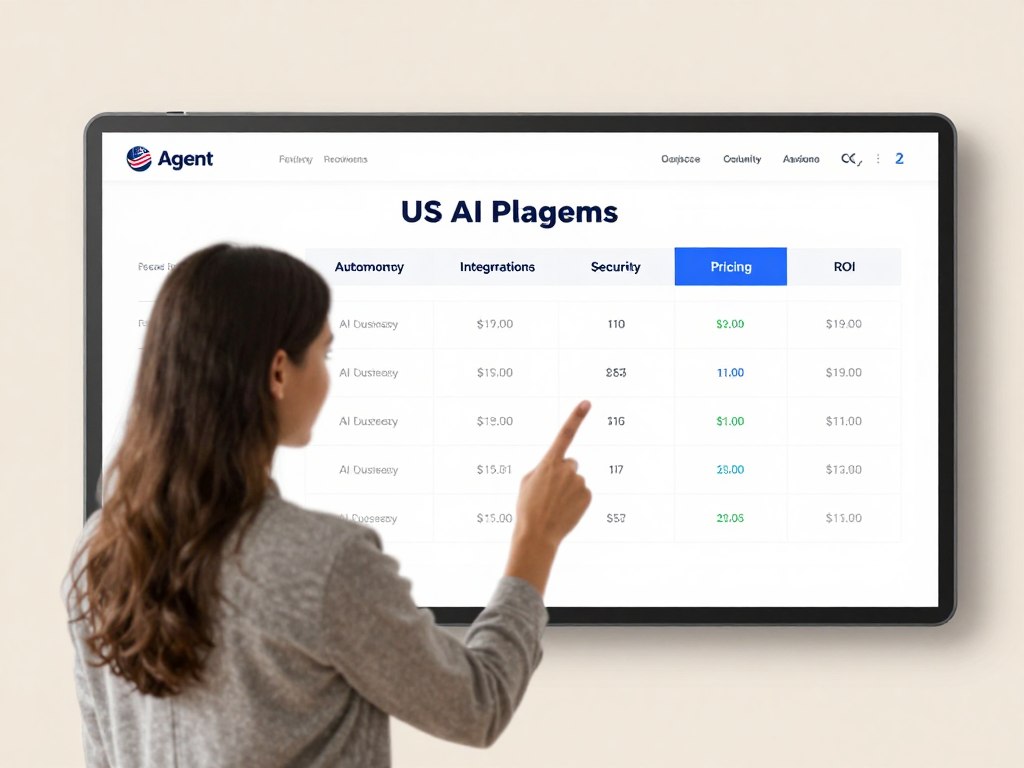
Use the Arahi ranking page as a category-intent reference, then evaluate each recommended platform independently. A roundup should not treat a mention in a ranking article as proof of product quality, compliance, or pricing.
Core Autonomous Capabilities
For each platform named in the comparison, document the exact workflows it can execute, the tools it can call, the conditions it can evaluate, and the actions it can take. Separate “draft,” “recommend,” “queue,” and “execute” because these are different autonomy levels.
Enterprise Security & Compliance
Ask whether data is encrypted in transit and at rest, whether SSO and MFA are available, how RBAC is configured, and whether audit logs can be exported. Confirm data residency, cross-border processing, retention, deletion, backup, and breach-notification terms.
Pros
- Useful starting point for readers who need a broad category view.
- Can help small business teams identify several automation paths.
- Creates a natural place to compare technical and nontechnical deployment.
Cons
- A roundup may compress important plan and security differences.
- Product capabilities can change faster than editorial updates.
- Readers still need a workflow-level proof of value.
Pricing Plans
Include a dated pricing verification note. Record monthly and annual billing, free tier availability, included users, task or message limits, API charges, premium connectors, implementation services, and cancellation terms.
CTA Implication
Because the audience is comparing options, use a neutral CTA such as “Check platform fit.” Avoid asking for a sales call before showing integration and security information.
Fueler and Productivity-Focused Agent Options

Overview
Frame productivity agents around time savings and operational consistency. The article should show that time saved is not automatically profit. Teams must measure review time, correction work, subscription cost, and any change in revenue or service capacity.
Core Autonomous Capabilities
- Inbox classification and response drafting
- Meeting preparation and follow-up task creation
- Document extraction and structured data entry
- Internal knowledge search with source links
- Support triage and escalation
Enterprise Security & Compliance
Productivity data often includes customer, employee, and financial information. Explain least-privilege access, workspace permissions, tenant separation, retention controls, and administrator review. Treat HIPAA, PCI DSS, GDPR, SOC 2, SOC 3, and ISO 27001 as distinct claims that require product-specific evidence.
Pros
- Clear fit for repetitive administrative work.
- Often approachable for nontechnical teams.
- Can produce measurable baseline metrics quickly.
Cons
- Broad productivity claims may hide weak system integration.
- Human review can reduce the expected time savings.
- Data access can expand quickly if permissions are not mapped.
Pricing Plans
Compare free tier access, user-based billing, task limits, AI model charges, storage, premium integrations, and enterprise support. Use “per user per month” only when the vendor clearly defines what a user and a month include.
CTA Implication
Place a low-friction CTA after the use-case examples: “Choose a low-risk productivity pilot.” This action fits readers who are interested but not ready to buy.
Salesforce Agentforce Review
Overview
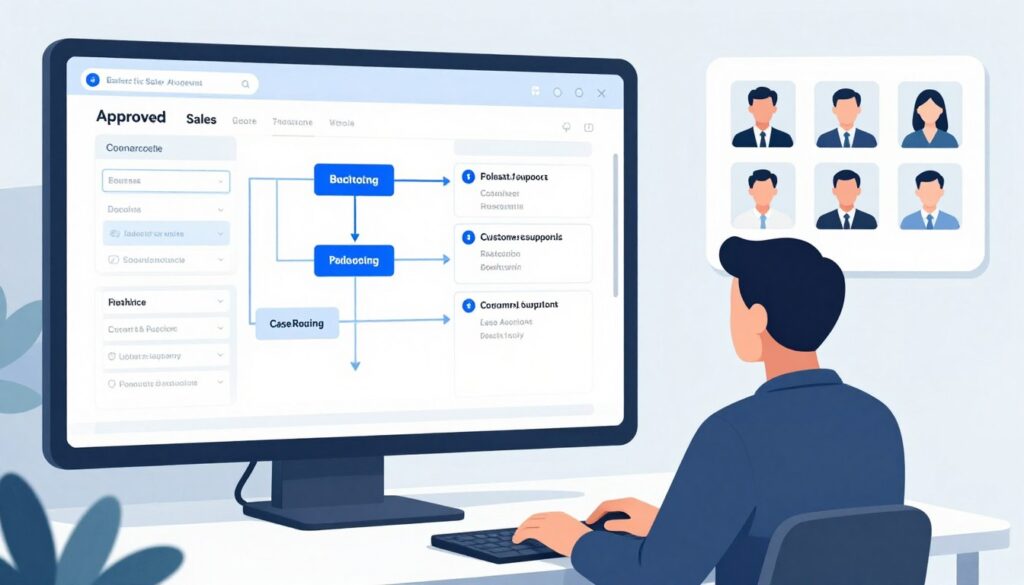
Evaluate Salesforce Agentforce for organizations already invested in Salesforce data, permissions, and process automation. The strongest fit is usually CRM-centered work where the agent can operate inside established objects, flows, service rules, and escalation paths.
Core Autonomous Capabilities
- Service case classification, routing, summarization, and response drafting
- Sales research, opportunity preparation, and next-step recommendations
- CRM record assistance through configured actions and flows
- Knowledge retrieval with escalation for uncertain answers
- Human approval for sensitive customer or commercial actions
Enterprise Security & Compliance
Review Salesforce Trust documentation, the selected edition, data model, identity controls, field permissions, audit features, and data processing terms. Confirm whether external systems receive only the fields required for the workflow. Do not assume that Salesforce controls automatically cover every connected application.
Pros
- Strong potential fit for Salesforce-centered operations.
- Enterprise administration and permission concepts are familiar to many buyers.
- Useful foundation for service, sales, and CRM workflows.
Cons
- Licensing and consumption pricing can be difficult to compare.
- Implementation may require Salesforce administrators and technical teams.
- Value depends on clean CRM data and disciplined process design.
Pricing Plans
Present current edition pricing only after checking official Salesforce pages. Explain whether costs involve licenses, credits, data products, implementation, premium support, or external API usage. Do not combine separate costs into one monthly figure without showing the assumptions.
ROI Measurement
Track case deflection, handling time, first-response time, sales research time, opportunity progression, correction rate, and human approval volume. Compare the baseline with the same period after deployment.
Assess Your Salesforce Workflow
Identify one case, lead, or opportunity workflow that uses stable fields and has a clear approval owner.
Microsoft Copilot Studio Review

Overview
Microsoft Copilot Studio is a strong candidate for organizations using Microsoft 365, Teams, Power Platform, Dataverse, and related connectors. The review should distinguish conversational agent creation from action-taking workflows.
Core Autonomous Capabilities
- Internal employee support and knowledge retrieval
- Workflow actions through Power Platform connectors
- Teams-based service requests and escalation
- Document and process assistance with configured topics
- Approval routing for actions that change records or send communications
Enterprise Security & Compliance
Review the Microsoft Trust Center, tenant settings, data loss prevention, environment strategy, identity controls, connector permissions, logging, and geographic processing. Confirm which controls apply to Copilot Studio, Power Platform, the model, and each connected service.
Pros
- Natural fit for Microsoft-centered teams.
- Low-code tools can help business users test workflows.
- Enterprise identity and administration can support controlled deployment.
Cons
- Capacity and connector licensing can be complex.
- Advanced actions may require Power Platform skills.
- Tenant configuration can affect the user experience and cost.
Pricing Plans
Document the current licensing model, message or capacity allowances, user requirements, premium connectors, and enterprise agreements. Include an explicit note that a free trial, if available, may not represent production limits.
ROI Measurement
Measure internal support resolution time, ticket deflection, employee search time, manual data entry, workflow completion, and escalation quality. Include the cost of administration and governance in the payback model.
HubSpot Breeze and CRM Agent Options
Overview
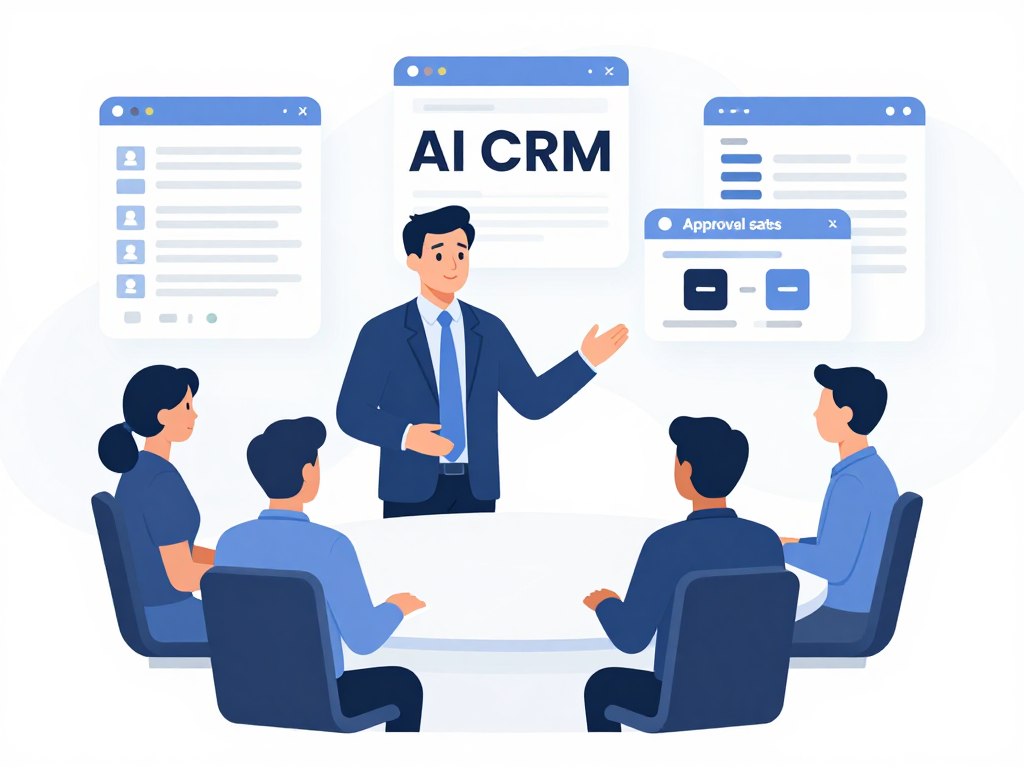
Evaluate HubSpot’s AI capabilities for teams that want marketing, sales, and support context in one CRM environment. Explain the difference between drafting content, recommending actions, and executing changes in records or campaigns.
Core Autonomous Capabilities
- Contact and company research
- Sales follow-up drafting and task recommendations
- Support classification and knowledge assistance
- Marketing content support with review controls
- CRM updates through approved integrations and workflows
Enterprise Security & Compliance
Check account permissions, team access, audit history, data processing terms, connected applications, and retention settings. A CRM agent should not receive unrestricted access to every contact, ticket, deal, or marketing asset.
Pros
- Useful for revenue teams already working in HubSpot.
- Strong potential connection between sales, marketing, and support context.
- Accessible starting point for small business teams.
Cons
- Capabilities and limits may vary by hub, edition, and subscription.
- Automated content still needs brand, privacy, and accuracy review.
- External systems may need separate connectors or middleware.
Pricing Plans
List the relevant HubSpot hub, seat, credit, usage, and add-on costs. Verify whether AI features are included, limited, or charged separately. Show a small-business example and an enterprise example only when the assumptions are explicit.
ROI Measurement
Track lead response time, meeting conversion, sales preparation time, support response time, content review time, and record quality. Compare agent-assisted results with a baseline cohort.
Zapier Agents and Cross-Application Automation
Overview
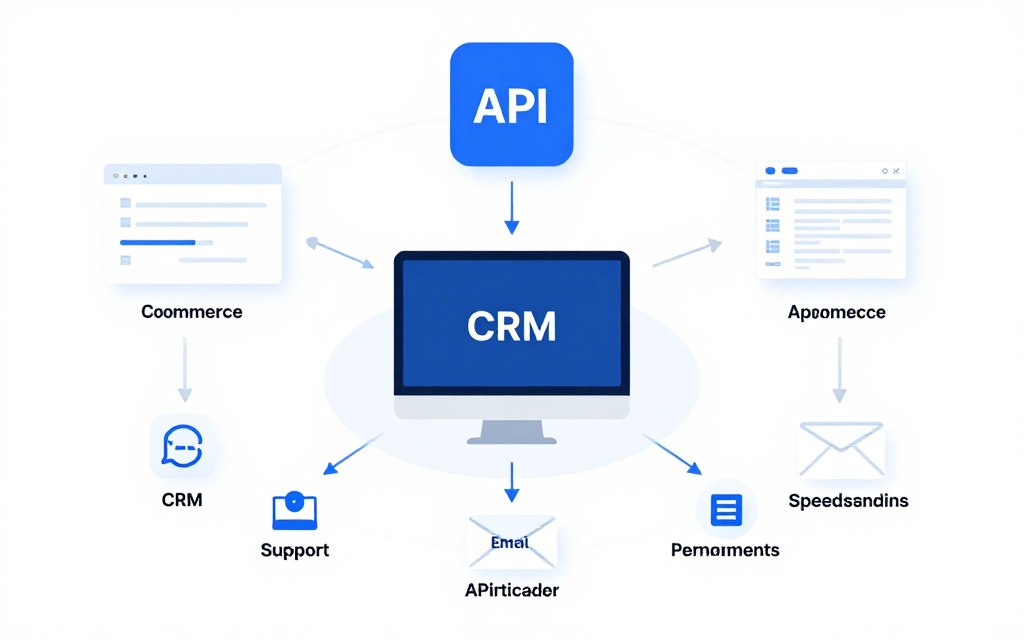
Zapier Agents can be evaluated for teams that need cross-application workflows and low-code deployment. The review should test each connector rather than assuming that one integration supports every action.
Core Autonomous Capabilities
- Lead capture and routing between forms, CRM, email, and spreadsheets
- Customer support classification and task creation
- Shopify order or customer workflow assistance where supported
- HubSpot and Salesforce record actions where the selected connector permits them
- Webhook and API workflows with approval gates for high-impact actions
Enterprise Security & Compliance
Review app permissions, OAuth scopes, webhook security, task history, workspace controls, retention, and administrator features. Limit credentials to the records and actions required by the use case.
Pros
- Approachable for teams that want low-code deployment.
- Broad automation ecosystem can reduce integration work.
- Useful for connecting smaller business systems.
Cons
- Each app connection may have different permissions and limits.
- Usage-based pricing can grow with workflow volume.
- Complex exception handling may need technical teams.
Pricing Plans
Verify the current free tier, paid plan limits, task or action allowances, premium apps, AI usage, team features, and enterprise pricing. Clearly separate automation volume from user pricing.
ROI Measurement
Measure handoffs removed, data entry time, lead routing speed, duplicate records, failed actions, support workload, and monthly usage. Include the cost of maintaining integrations.
Check Your CRM and Commerce Connections
Test one Salesforce, HubSpot, or Shopify workflow with sample records before granting production access.
ROI Metrics for Autonomous Workflow Execution
Baseline Cost
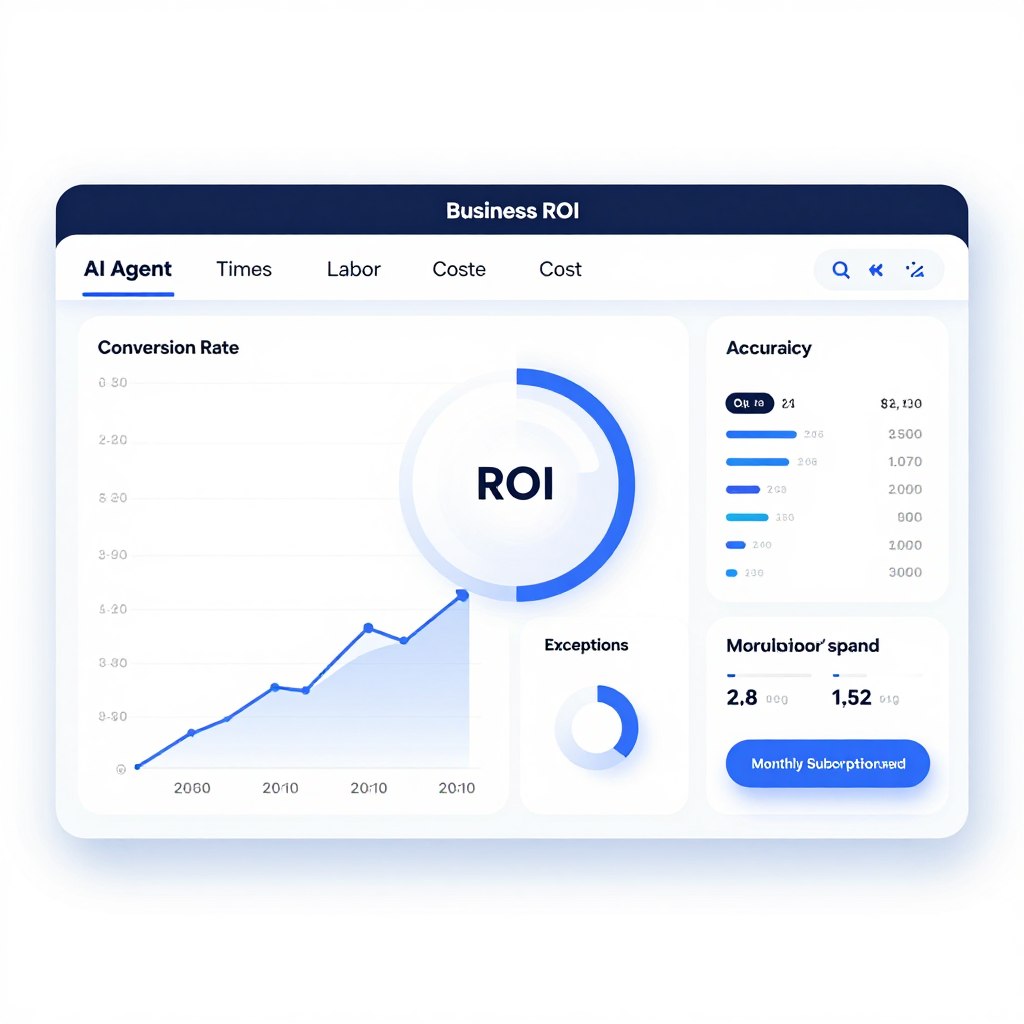
Record staff hours, wage burden, software costs, error correction, delay costs, and outsourced work. Use a representative month rather than an unusually busy or quiet period.
Value Created
Measure approved hours saved, faster response, added capacity, conversion impact, reduced rework, and improved service levels. Do not count every generated answer as value.
Payback Formula
Estimated monthly value minus platform, implementation, monitoring, and correction costs equals monthly net value. Divide initial setup cost by monthly net value to estimate payback months. Label all estimates clearly.
Metrics to Track
- Time per task before and after deployment
- Human approval rate and average review time
- Accuracy, correction rate, and escalation rate
- Conversion, response, retention, or service impact
- API failures, duplicate actions, and unauthorized attempts
- Total cost per completed workflow
Security, Privacy, and Governance for AI Agents
A Minimum Control Set
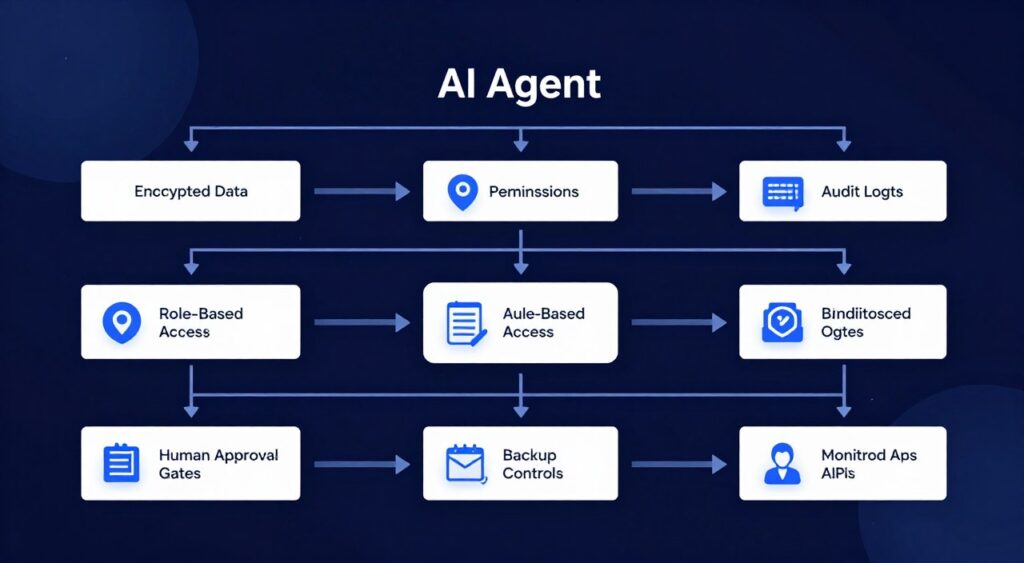
- Least-privilege OAuth scopes and API permissions
- Encryption in transit and at rest
- SSO, MFA, RBAC, and administrator separation
- Audit logs for prompts, tool calls, approvals, and outcomes
- Retention, deletion, backup, and incident response procedures
- Human approval for financial, legal, customer-impacting, and destructive actions
Compliance Questions
SOC 2, SOC 3, ISO 27001, GDPR, HIPAA, and PCI DSS are not interchangeable. Ask which system, service, region, and processing activity each standard covers. A compliance badge does not remove the buyer’s responsibility to configure access, retention, and oversight correctly.
Data Training and Residency
Ask whether prompts, files, customer records, and outputs are used to train shared models. Confirm data residency, cross-border subprocessors, deletion timelines, backups, and legal requests. Put the answer in the contract when the data is sensitive.
Human Oversight
Use approval queues, spending limits, restricted tools, confidence thresholds, escalation routes, and rollback procedures. Monitor both successful actions and failed or blocked actions. A secure agent is not one that never fails; it is one that fails visibly and safely.
CRM Integrations, Zero-Code Deployment, and Technical Fit
Salesforce Integration
Confirm objects, fields, record permissions, flows, API limits, event triggers, and write actions. Test duplicate handling and stale records before production deployment.
HubSpot Integration
Confirm contact, company, deal, ticket, workflow, and marketing permissions. Separate content drafting from publishing and customer communication.
Shopify Integration
Confirm order, product, inventory, customer, fulfillment, refund, and webhook permissions. Payment, refund, and customer-data actions should receive special review.
Zero-Code Versus Low-Code
Zero-code deployment can speed up a pilot, but it does not eliminate governance. Low-code tools are useful when technical teams need control over APIs, schemas, retries, logging, and exception handling.
When Technical Teams Are Needed
- Custom API authentication and webhooks
- Complex data transformations
- High-volume workflows and rate-limit management
- Identity, logging, and retention integration
- Testing, monitoring, and rollback design
FAQ: AI Agents, Data Privacy, and Security for US Companies
Will customer data be used to train AI models?
Do not assume either outcome. Review the vendor’s product terms, privacy documentation, plan-specific controls, and contract. Ask whether prompts, files, outputs, and connected records are used for shared model training, product improvement, or abuse monitoring.
Where is business data processed?
Ask about storage regions, model-provider subprocessors, cross-border processing, backups, support access, and deletion. Data residency may differ between primary storage and model inference.
How should API permissions be configured?
Use OAuth scopes and service accounts with the smallest required access. Review webhook signing, token rotation, rate limits, expiration, and logging. Avoid sharing a general administrator credential with an agent.
Can agents connect to Salesforce, HubSpot, and Shopify?
Many platforms offer direct connectors or APIs, but supported actions differ. Confirm read and write scopes, object coverage, webhook support, rate limits, regional availability, and plan restrictions.
Is data encrypted in transit and at rest?
Ask the vendor to describe transport encryption, storage encryption, key management, tenant isolation, backup protection, and administrative access. Obtain current security documentation for the purchased service.
Do platforms support SSO, MFA, RBAC, and audit logs?
Availability often depends on the plan. Verify SSO identity providers, MFA enforcement, role granularity, approval permissions, exportable logs, retention, and administrator controls.
Does SOC 2 mean the platform is safe for every use case?
No. SOC 2 describes controls within a defined scope. Review the report period, trust services criteria, product coverage, exceptions, complementary user controls, and your own configuration duties.
What about SOC 3, ISO 27001, GDPR, HIPAA, and PCI DSS?
These standards and regulations address different obligations. Confirm whether the vendor, product, region, and processing activity are covered. HIPAA and PCI DSS often require configuration, contracts, and operational controls beyond a vendor claim.
How can a company control unauthorized autonomous actions?
Use least privilege, approval gates, restricted tools, spending and record limits, confidence thresholds, monitoring, and rollback. Begin with draft-only or queue-only actions before enabling execution.
How long is agent data retained?
Check prompt, output, log, backup, and deletion retention separately. Ask how deletion requests affect backups and derived records, and how incident response preserves evidence.
How should a small business test an agent?
Use synthetic or redacted data, a separate workspace, restricted permissions, a small sample, human review, and clear stop rules. Expand only after accuracy, security, cost, and failure metrics meet the pilot target.
Vendor Security and Procurement Checklist
- Request the security overview, privacy policy, data processing agreement, subprocessors, and current compliance reports.
- Record every system, field, API, role, and user the agent will access.
- Confirm model provider, training policy, retention, data residency, deletion, and backup terms.
- Test authentication, OAuth scopes, webhook signing, rate limits, and audit logs.
- Require a description of approval, escalation, rollback, and incident response controls.
- Review pricing, usage limits, overages, support, implementation, and termination costs.
- Document the owner responsible for monitoring and quarterly access reviews.
Request Evidence Before Production Access
A vendor review should be based on documented controls and a workflow demonstration, not only a feature list or compliance logo.
How to Deploy Your First AI Agent Securely
Step 1: Select a High-Value, Low-Risk Workflow
Choose work that is frequent, measurable, reversible, and not highly sensitive. Good starting points include internal research, ticket classification, meeting summaries, lead enrichment, and draft creation.
Step 2: Calculate Baseline Costs and ROI
Measure volume, minutes per task, loaded labor cost, error correction, current software cost, and revenue or service impact. Set a target for time saved, quality, and payback before deployment.
Step 3: Map Data and Permissions
List systems, fields, users, APIs, tools, and outputs. Give the agent read access first. Add write access only after testing. Use separate credentials for test and production environments.
Step 4: Configure Approval Gates
Require human approval for money movement, refunds, external messages, record deletion, legal commitments, sensitive personal data, and unusual actions. Define the person or team responsible for each queue.
Step 5: Run a Controlled Pilot
Use a small sample and a fixed evaluation period. Compare agent results with a human baseline. Track accuracy, time saved, approval rate, exceptions, failed API calls, cost per workflow, and user feedback.
Step 6: Validate Security and Compliance
Complete vendor review, access testing, retention review, incident planning, and administrator training. Do not connect production systems until the control owner approves the design.
Step 7: Integrate Existing Systems
Connect Salesforce, HubSpot, Shopify, productivity tools, support platforms, or internal APIs one at a time. Test schemas, duplicate handling, rate limits, retries, and rollback behavior.
Step 8: Monitor Accuracy, Drift, and Unauthorized Actions
Review logs and samples every week during the pilot. Watch for changing customer language, new product rules, connector changes, prompt injection, data leakage, and unexpected tool calls.
Step 9: Scale to an AI Agent Stack
Scale only after the first workflow meets its targets. Create shared identity, logging, prompt, testing, approval, and incident standards. Keep each agent’s scope narrow enough to audit and explain.
Start With a Measured Agent Pilot
Define one workflow, assign an owner, set approval gates, and measure results before expanding access to more systems or teams.
Recommended Pilot Scorecard
| Category | Baseline | Pilot Target | Evidence | Stop Rule |
| Time | Average minutes per workflow | Defined reduction without extra correction work | Time study and activity logs | Review time exceeds expected savings |
| Accuracy | Human error and rework rate | Agreed accuracy threshold | Sample audit and correction log | Critical error or repeated hallucination |
| Security | Current access and incident controls | Approved permissions and complete logging | Access review and vendor documents | Unapproved data access or missing logs |
| Cost | Current labor and software cost | Positive or strategically justified value | Invoices, usage, and labor records | Uncontrolled usage or negative value |
| User Adoption | Current workflow participation | Consistent use with clear ownership | Usage logs and team survey | Users bypass or distrust the workflow |
Final Buying Guide: Choose and Deploy With Confidence

Make the First Decision Narrow
Choose the platform that fits the first workflow, not the platform with the longest feature list. Prioritize integration depth, permission control, auditability, deployment effort, pricing clarity, and measurable business value.
Match Platform to Operating Model
Salesforce-heavy organizations may prioritize CRM-native controls. Microsoft-centered teams may value tenant administration and low-code connectors. Growth and operations teams may prefer flexible cross-application workflows. HubSpot users may prioritize revenue-team context. Smaller teams may value a simple interface, but they should not trade away access control and monitoring.
Use Evidence, Not Promises
Ask vendors to demonstrate the exact workflow with representative data. Verify current pricing, limits, security coverage, integration actions, retention, and support. Treat ROI as a measured outcome, not a guaranteed feature.
Choose the Next Action
For early researchers, save the evaluation criteria. For warm buyers, compare integrations and pricing. For deployment-ready teams, request a security review and define a controlled pilot. A practical first step is to select one low-risk workflow, map its permissions, and establish a baseline before connecting production data.
Start With a Secure, Measurable Pilot
Choose one workflow, limit access, require approval for high-impact actions, and measure time, quality, cost, and risk before scaling your AI agent stack.