

The best cloud storage services do more than hold files. They shape how a company shares documents, protects customer data, supports remote work, and recovers after an incident.
This guide compares five major platforms for US businesses. It weighs privacy, encryption, collaboration, storage, backup, administration, and total cost so decision-makers can choose a cloud service with fewer surprises.
Best cloud storage services: quick comparison
The table focuses on three widely used business ecosystems. Pricing changes by billing term, region, taxes, promotions, storage amount, and user count. Treat the figures as planning ranges and confirm the live offer before purchase.
| Provider | Zero-knowledge encryption | Storage tiers | Automated backup | Monthly pricing |
| Google Workspace Drive | Not the standard business model; customer-managed encryption can add control | Business tiers commonly scale from pooled storage to larger enterprise allocations | Version history, retention, and third-party backup options | Often starts near $7 per user when billed monthly; confirm current terms |
| Microsoft OneDrive | Not a standard end-to-end business feature; strong encryption in transit and at rest | Per-user storage with Microsoft 365 business bundles | Versioning, recycle bins, retention, and Microsoft 365 recovery tools | Often starts near $6 per user for entry business bundles; confirm current terms |
| Dropbox Business | Not standard; advanced teams can add stronger control through security architecture | Team plans with pooled or allocated storage, depending on tier | Version history and recovery features; separate backup scope should be checked | Often begins near $15 per user on monthly business billing; confirm current terms |
Important: Zero-knowledge encryption means the provider cannot normally read the protected content. It may reduce server-side search, previews, recovery, and collaboration features. Do not treat it as a universal replacement for access controls and backup.
Need a fast shortlist?
Start with the platform your team already uses, then verify privacy, recovery, and administrator controls before moving sensitive files.
How we evaluated business cloud storage
A low monthly price is not enough for a company. The right storage service must reduce operational risk while helping people work quickly.
Security and privacy
We examine encryption, identity controls, audit records, retention, data location information, and the practical meaning of each provider’s privacy model.
- Encryption at rest and in transit
- Multifactor authentication
- Admin and sharing controls
- Recovery and retention limits
Work performance
Sync speed depends on the internet connection, device, file size, geographic distance, and the number of simultaneous users. A platform should support daily work without creating duplicate files.
- Desktop and mobile apps
- Selective syncing
- Browser access
- Document collaboration
Commercial fit
We separate personal plans from business plans. A consumer account may be inexpensive, but it can lack central ownership, employee offboarding, legal retention, or support.
- Per-user or pooled storage
- Plan and contract flexibility
- Administrative support
- Scalability for growing teams

Google Drive and Google Workspace

Best use case
Google Workspace is a strong choice for companies that work in browser-based documents, spreadsheets, presentations, email, and shared drives. It is especially practical for distributed teams that want simple access across many devices.
Privacy and compliance
Workspace provides business administration, encryption in transit and at rest, audit features, retention controls, and compliance support that varies by edition and configuration. Compliance is not automatic. Administrators must configure identity, sharing, retention, and device policies correctly.
Security and encryption
Standard encryption protects files while they move between devices and servers and while they are stored. Client-side encryption can provide additional control in supported editions, but it may change which services can index or process content. This is not the same as every file receiving simple consumer-grade zero-knowledge protection.
Sharing speed and collaboration
Browser collaboration is a major strength. Multiple users can edit supported documents at the same time, while Drive supports links, shared drives, permissions, and version history. Large media files still depend on bandwidth and local device performance.
Plans and pricing
Business plans generally use per-user billing and pooled storage. Entry tiers are commonly priced around the lower end of the business market, while higher editions add more storage, controls, and security features. Confirm current monthly and annual prices before budgeting.
Pros and cons
Pros
- Excellent browser collaboration
- Strong fit with Gmail and Workspace
- Useful admin and audit tools
Cons
- Privacy settings require careful configuration
- Advanced controls may require higher plans
- Offline and large-file workflows need testing
Ideal team profile
Choose it when employees already use Google productivity tools and need shared documents more than a private vault. Highly regulated teams should review edition-specific controls with their compliance adviser.
Microsoft OneDrive and Microsoft 365

Best use case
OneDrive is usually the best cloud storage option for organizations built around Microsoft 365, Outlook, Teams, SharePoint, Word, Excel, and PowerPoint. It supports personal work files, while SharePoint and Teams handle many shared team workflows.
Privacy and compliance
Business editions include administrative, retention, auditing, and compliance tools that depend on the license and configuration. Microsoft describes broad compliance coverage, but a plan name alone does not make a business compliant. Review data residency, legal hold, retention, and access settings for the specific workload.
Security and encryption
Encryption protects files in transit and at rest. Multifactor authentication, conditional access, device management, and identity protection can strengthen the account. OneDrive is not normally a simple zero-knowledge vault, which allows useful search and collaboration but requires trust in the provider and administrator.
Sharing speed and collaboration
Sync is efficient for common office files, and Files On-Demand can reduce local disk use. Teams and SharePoint add shared workspaces, but the wider ecosystem can confuse new administrators. Test permissions before migrating department folders.
Plans and pricing
Many businesses buy OneDrive through Microsoft 365 rather than as an isolated product. Entry business plans often start near the lower single-digit dollar range per user each month, while plans with desktop applications, stronger security, or advanced compliance cost more.
Pros and cons
Pros
- Excellent Microsoft 365 integration
- Strong identity and device management options
- Useful Files On-Demand feature
Cons
- SharePoint architecture takes planning
- Advanced compliance can raise costs
- Permission inheritance can be difficult
Ideal team profile
Choose OneDrive when Microsoft 365 is already central to email and documents. It is less attractive when the business wants a minimal storage app with no wider productivity ecosystem.

Dropbox Business

Best use case
Dropbox Business suits teams that want a focused file sync and sharing experience. It is often appealing to creative groups, agencies, consultants, and companies that exchange large files with people outside the organization.
Privacy and compliance
Business plans offer administrative and security features, but the exact controls differ by tier. Review audit logs, retention, sharing restrictions, regional requirements, and support terms. A business account is not automatically suitable for regulated data without policy configuration.
Security and encryption
Dropbox uses encryption in transit and at rest and provides account security controls such as multifactor authentication. Standard Dropbox business storage is not a universal zero-knowledge service. Teams handling highly confidential files may need a separate encrypted workflow or a product designed around client-side encryption.
Sharing speed and collaboration
Dropbox has a mature sync model and clear sharing links. Actual transfer speed depends on the network, file size, and local app. Teams should test large folders, selective sync, conflict handling, and external sharing before a full rollout.
Plans and pricing
Business pricing is commonly higher than basic productivity bundles, especially when advanced security, large storage, or stronger administration is included. Monthly billing can cost more than annual billing. Verify storage limits and recovery windows in the selected plan.
Pros and cons
Pros
- Focused and familiar file workflow
- Good external sharing experience
- Useful sync and recovery features
Cons
- Can cost more than bundled suites
- Advanced compliance varies by plan
- Not a default zero-knowledge vault
Ideal team profile
Choose Dropbox when fast file exchange and a simple user experience matter more than having email, office applications, and storage under one subscription.
Box Business

Best use case
Box is designed for organizations that need content management, controlled sharing, workflow, and governance. It can suit legal, healthcare, financial, education, and professional services teams when the chosen plan matches their requirements.
Privacy and compliance
Box provides enterprise governance and compliance capabilities, but availability varies by plan and geography. Buyers should ask about retention, legal holds, audit exports, data residency, encryption key options, and business associate agreement requirements where relevant.
Security and encryption
Encryption in transit and at rest protects normal storage operations. Enterprise customers may have additional key management and governance options. These capabilities should be reviewed with a security architect because key ownership, recovery, and availability affect day-to-day work.
Sharing speed and collaboration
Box supports browser access, desktop sync, collaboration integrations, and external links. It is strong for controlled content workflows, while teams moving large media libraries should run a transfer test. The fastest service is not always the one with the best governance.
Plans and pricing
Business and enterprise pricing can depend on users, storage, support, security, and contract terms. Published plans may not show every enterprise option. Request a written quote when retention, key management, or regulated workloads are essential.
Pros and cons
Pros
- Strong governance and content controls
- Good fit for regulated workflows
- Broad integration ecosystem
Cons
- Enterprise features need careful design
- Pricing may be less transparent
- Can exceed the needs of a small team
Ideal team profile
Choose Box when governance, controlled external sharing, and content lifecycle management are core requirements. Small teams seeking simple personal storage may find it too complex.

Proton Drive

Best use case
Proton Drive is most relevant to teams that place privacy and client-side encryption ahead of deep office-suite integration. It can be useful for confidential documents, private archives, and users who want a stronger separation between the provider and file content.
Privacy and compliance
Privacy-focused design can reduce provider access to content, but businesses still need to evaluate contracts, data location, support, administration, retention, and regulatory evidence. Encryption does not replace a documented compliance program.
Security and encryption
Proton Drive is known for an end-to-end encryption approach on supported content and workflows. The practical trade-off is that some search, preview, recovery, and collaboration functions may be more limited than on mainstream productivity platforms. Confirm business features before deployment.
Sharing speed and collaboration
Encrypted storage can add processing overhead and may not match the editing experience of Google Workspace or Microsoft 365. Test upload speed, browser behavior, mobile access, link expiry, and collaboration with real files before committing.
Plans and pricing
Pricing depends on the current personal or business offer, storage amount, and billing term. Do not compare a privacy-focused personal plan with a managed business platform without checking user administration, support, and ownership of company data.
Pros and cons
Pros
- Strong privacy-centered design
- Useful for confidential file storage
- Clear alternative to ad-funded services
Cons
- Collaboration can be less extensive
- Business administration must be verified
- Encryption can limit convenience features
Ideal team profile
Choose Proton Drive when minimizing provider access is more important than advanced document editing or broad enterprise integration. Use a pilot before moving a complete business file system.
Privacy, encryption, and compliance differences

Zero-knowledge encryption is a trade-off
With zero-knowledge or end-to-end encryption, the provider has limited ability to inspect protected content. That can improve confidentiality. It can also reduce server-side search, document previews, malware scanning, recovery, and real-time collaboration.
Compliance depends on configuration
Statements about compliance should be read carefully. A provider may maintain certifications or support regulated workloads, but the customer remains responsible for configuration, user behavior, retention, access reviews, and incident response.
Minimum security baseline
- Require multifactor authentication for every user.
- Use single sign-on and role-based access where available.
- Block public links unless a business owner approves them.
- Review inactive users and external collaborators every month.
- Keep an independent backup for critical files.
- Record retention, deletion, and incident procedures.
Do not confuse sync with backup. If ransomware encrypts a synced folder, the change may spread to connected devices. Use version history and a separate recovery copy with a tested restore process.
Cloud backup, sync, and external hard drives
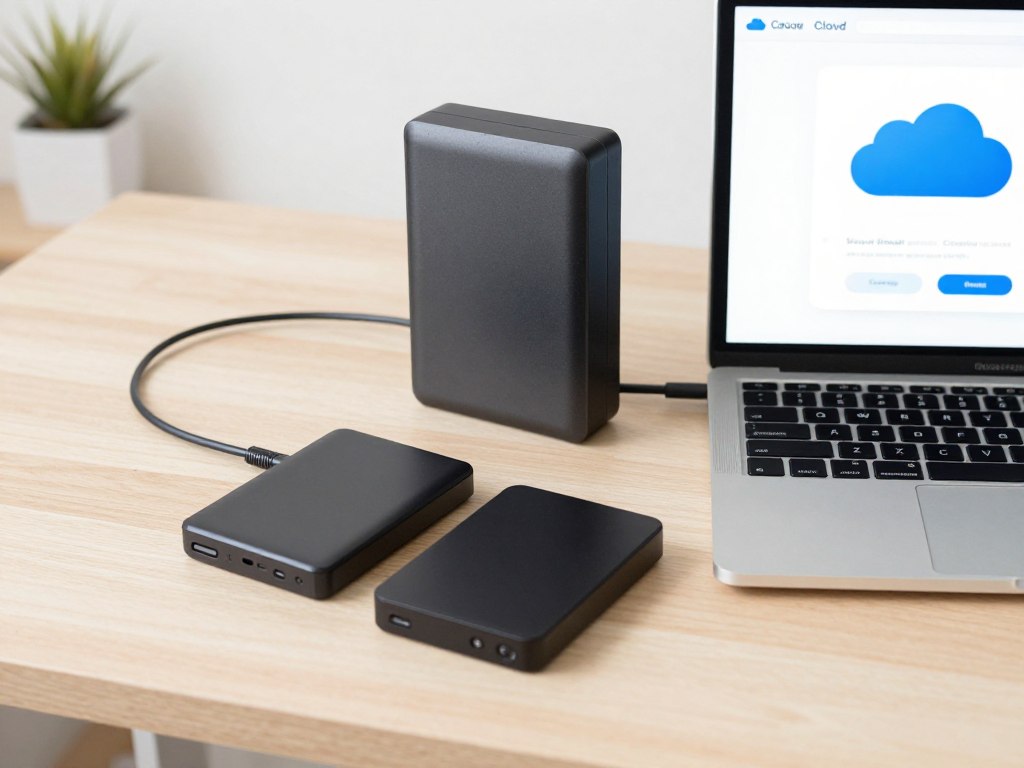
Cloud storage, cloud backup, and synchronization solve different problems. Sync makes the same working files available on several devices. Backup creates recoverable copies. A file server or external hard drive can provide local control and fast restoration.
Cloud storage
Best for access, sharing, collaboration, and remote work. It needs identity controls, sharing rules, and retention settings.
- Access files from many devices
- Share links and folders
- Collaborate on documents
Cloud backup
Best for recovery after deletion, hardware failure, or ransomware. Confirm backup frequency, retention, encryption, and restore speed.
- Protect endpoints and servers
- Keep historical versions
- Test recovery regularly
External hard drives
Best as an additional local copy or archive. They can fail, be stolen, or become infected, so encrypt them and store at least one copy separately.
- Fast local transfers
- Useful during migration
- Not sufficient as the only backup
How to migrate sensitive business data safely
A migration should be treated as a controlled change, not a large drag-and-drop exercise. Start with a small pilot, document decisions, and preserve a verified rollback path.
1. Classify and prepare the data
Separate public, internal, confidential, regulated, and obsolete information. Remove duplicates and stale files. Identify owners for legal, finance, human resources, customer, and operational folders.
- List every source: laptops, servers, NAS devices, email attachments, and external hard drives.
- Map each folder to a business owner and retention rule.
- Delete duplicates only after an owner approves the result.
- Record file counts, sizes, formats, and access requirements.
2. Design identity and access controls
Connect the service to a managed identity provider when possible. Require multifactor authentication, least privilege, separate administrator accounts, and a documented employee offboarding process.
3. Decide where encryption belongs
Use provider encryption for general business files and consider client-side encryption for high-risk material. Define how lost keys, employee departure, search, recovery, and legal discovery will work before choosing a tool.
4. Protect the original data
Create an independent backup before migration. Keep the source read-only during the final transfer window. Use encrypted external hard drives only as part of a wider plan, not as the sole recovery copy.
5. Transfer through controlled methods
Use the provider’s migration tool, a trusted transfer utility, or an encrypted network path. Avoid personal accounts and unapproved USB devices. Schedule large transfers outside peak work time and monitor failed files.
6. Test and validate
Compare file counts, checksums where practical, permissions, timestamps, sharing links, and representative file opens. Ask real users to test access from approved devices and networks.
7. Document compliance
Save the architecture, risk assessment, vendor terms, data location information, retention policy, access matrix, backup results, and approval record. This evidence is valuable during audits and incident reviews.
8. Train employees and monitor continuously
Teach users how to identify phishing, use sharing links, report lost devices, and avoid storing business data in personal accounts. Review audit logs, external users, inactive accounts, and unusual downloads every month.

Cloud storage migration checklist
- Classify sensitive data and assign owners.
- Confirm the business plan and storage limit.
- Enable multifactor authentication.
- Create and test an independent backup.
- Define retention and deletion rules.
Before transfer
- Use an approved migration method.
- Keep logs of errors and skipped files.
- Restrict permissions to the pilot group.
- Keep the source available for rollback.
- Monitor transfer speed and system load.
During transfer
- Validate counts, access, and file integrity.
- Remove abandoned sharing links.
- Train users on the new workflow.
- Review logs and external collaborators.
- Test restoration on a defined schedule.
After transfer

Which cloud storage service should your business choose?
Choose Google Workspace
Best for browser-first collaboration, Gmail users, and teams that edit documents together every day.
Choose Microsoft 365
Best for organizations using Outlook, Teams, Word, Excel, SharePoint, and centralized identity management.
Choose Dropbox
Best for focused file synchronization, creative workflows, and external file sharing.
Choose Box
Best for governance, content lifecycle controls, and regulated business workflows.
Choose Proton Drive
Best for privacy-first storage where minimizing provider access is more important than broad collaboration.
Choose a hybrid model
Best for teams that need cloud collaboration plus encrypted archives, external hard drives, or independent cloud backup.

What the ranking pages teach about effective CTAs
Zapier editorial pattern
The likely audience is B2C, freelancers, and small teams comparing familiar apps. The primary goal is information with a commercial bridge. Native product links work because readers are still exploring options. The strongest tone is helpful and low pressure.
- Offer: app or subscription evaluation
- Action: visit a product page or start a trial
- Placement: beside or after product explanations
WhistleOut comparison pattern
The likely audience is price-sensitive consumers and small businesses. The reader wants a simple answer about storage amounts and monthly cost. Clear plan links are more useful than a sales form because the buyer may still be comparing several services.
- Offer: plan and price comparison
- Action: check a provider or purchase a plan
- Placement: after price-led sections
Business.com commercial pattern
The audience is more B2B-oriented. Decision-makers care about administration, security, collaboration, support, and scale. A stronger CTA can invite plan review, vendor contact, or a business evaluation, but it should follow proof rather than interrupt the opening.
- Offer: business subscription or evaluation
- Action: compare, request information, or buy
- Placement: product cards and conclusion
Best cloud storage questions for business buyers
Is cloud storage safer than external hard drives?
Neither is automatically safer. A managed cloud service can provide strong identity controls, encryption, audit records, and remote recovery. External hard drives offer local control but can fail, be stolen, or be infected. Use layered protection rather than choosing only one.
Do businesses need both storage and cloud backup?
Usually, yes. Storage supports daily access and collaboration. Backup protects against accidental deletion, ransomware, device loss, and other failures. Confirm that the backup covers the folders, devices, and retention period your business actually needs.
Is zero-knowledge encryption always the best option?
No. It is valuable for confidentiality, but it can limit search, previews, recovery, malware scanning, and collaboration. Choose it for information that needs stronger provider separation, and test the workflow before deployment.
Should a company use personal storage plans?
Personal plans can be suitable for individual non-business files, but they often lack central ownership, employee offboarding, audit tools, legal retention, and business support. Use a managed business plan for company data.
How should we compare monthly pricing?
Compare the full cost per active user, storage amount, annual commitment, taxes, backup add-ons, security features, support, and migration work. A cheaper plan may cost more if it requires separate administration or backup tools.

Final recommendation for 2026
For most US businesses, the best cloud storage choice is the platform that fits the existing identity, productivity, and recovery environment. Google Workspace is a strong browser collaboration option. Microsoft 365 is compelling for Microsoft-centered organizations. Dropbox is a focused file-sharing choice. Box is suited to governance-heavy workflows. Proton Drive is the privacy-first option to test when provider access is a central concern.
Before signing a subscription, run a pilot with real files, verify the business plan, test recovery, review external sharing, and document compliance responsibilities. Then deploy in stages with multifactor authentication, least privilege, independent backup, and regular access reviews.
Choose with evidence, not guesswork
Select two providers, run a controlled pilot, and compare security, collaboration, recovery, and total monthly cost before moving sensitive business data.