

Ramp is the best overall choice for most U.S. businesses that want expense automation, corporate cards, and spend controls. Brex is particularly strong for startups, scaling companies, and international operations. Expensify is a strong choice for receipt capture, expense reports, and employee reimbursements. Navan is the strongest fit when travel is a major part of company spending. BILL Spend & Expense is especially attractive to businesses already using BILL.
This guide compares the best expense management software for commercial buyers. It focuses on actual finance workflows, pricing structure, cards, reimbursements, policy enforcement, accounting integration, travel, AI automation, and implementation risk.
Ready to narrow the shortlist?
Compare the five platforms by use case, controls, pricing model, and accounting fit before requesting a demo or starting a trial.
Best Expense Management Software: Quick Picks
Best overall — Ramp
A strong general fit for businesses seeking corporate cards, spend controls, expense automation, and accounting workflows in one system.
Best for growing and global companies — Brex
A strong option for startups and scaling finance teams that need flexible controls, international support, and multi-entity capabilities.
Best for reimbursements — Expensify
A practical choice for receipt scanning, expense reports, mileage, and employee reimbursement workflows.
Best for business travel — Navan
A travel-first platform for organizations that want booking, travel policies, expenses, and support in one environment.
Best for BILL users — BILL Spend & Expense
A logical option for small businesses already using the BILL financial-operations ecosystem.
Best expense management decision rule
Choose the platform that matches your card strategy, reimbursement needs, accounting system, travel volume, and policy complexity.

Expense Management Software Comparison
| Software | Best for | Target company size | Starting price | Free plan | Corporate cards | Employee reimbursements | Receipt scanning | Mobile app | Expense approvals | Spend limits | Policy enforcement | AI automation | Travel management | Virtual cards | Accounting integrations | ERP integrations | Multi-entity support | International support | Primary limitation |
| Ramp | Overall spend and expense control | Small to enterprise | $0 core tier; verify paid plans | Yes, subject to plan terms | Available; verify eligibility | Available; verify plan | Available | Available | Available | Available | Available | Plan-specific | Available features vary | Available; verify plan | Verify current list | Verify current list | Plan-specific | Verify eligibility | Advanced features may require paid tiers |
| Brex | Growing and global finance teams | Startups to enterprise | $0 Essentials; Premium listed at $12 per user/month; verify terms | Yes | Available; eligibility applies | Available | Available | Available | Available | Available | Available | Plan-specific | Available | Available | Verify current list | Verify current list | Available; verify plan | Strong fit; verify country coverage | May be more structured than very small firms need |
| Expensify | Reimbursements and expense reports | Small to mid-sized businesses | Free Submit; Collect from $5 per member/month; verify terms | Yes | Available through card products; verify terms | Core strength | SmartScan available | Available | Available | Verify product and plan | Available; plan-specific | Feature availability varies | Available features vary | Verify current offering | QuickBooks and Xero support; verify others | Verify current list | Verify plan | Verify country coverage | Less card-led than some spend platforms |
| Navan | Business travel and expense | Mid-sized to enterprise; qualifying smaller firms | Free qualifying option; enterprise custom pricing | Available for qualifying businesses; verify limits | Available; verify eligibility | Available | Available | Available | Available | Available | Travel and expense policies | Verify current features | Core strength | Verify current offering | Verify current list | Verify current list | Verify plan | Strong travel fit; verify coverage | May exceed the needs of non-travel buyers |
| BILL Spend & Expense | Existing BILL customers | Small to mid-sized businesses | No per-user software subscription fee stated by BILL; verify card and product terms | Spend & Expense has no per-user subscription fee; verify terms | Available | Available features vary | Available features vary | Available | Available | Available | Available features vary | Verify current features | Limited compared with travel-first tools | Available; verify terms | BILL ecosystem and supported systems; verify list | Verify current list | Verify plan | Verify coverage | Best value may depend on BILL adoption |
Pricing, eligibility, included features, and supported integrations can change. Confirm the current U.S. terms on the vendor’s official pricing and product pages before purchase.
How We Evaluated the Best Expense Management Software
The scoring model prioritizes daily finance operations over feature volume. It considers how well each expense management system captures transactions, applies policy, supports approvals, reconciles accounting data, and gives finance teams useful reporting.
| Evaluation area | Weight | What to examine |
| Expense automation | 20% | Receipt capture, OCR, receipt matching, categorization, GL coding, duplicate detection, and expense report automation |
| Spend controls and policy enforcement | 15% | Spending limits, merchant controls, approval workflows, policy rules, and audit trails |
| Corporate cards and reimbursements | 15% | Corporate cards, virtual cards, employee expenses, reimbursements, mileage, and card feeds |
| Accounting integrations | 15% | Accounting software, general ledger mapping, ERP sync, reconciliation, and export controls |
| Ease of use | 10% | Mobile app, receipt submission, employee onboarding, manager approvals, and reporting clarity |
| AI capabilities | 10% | Practical AI automation, coding, anomaly detection, policy reviews, and human review controls |
| Travel capabilities | 5% | Business travel booking, T&E policies, travel support, and travel expense reporting |
| Security and controls | 5% | MFA, SSO, role-based access, encryption, audit logs, and segregation of duties |
| Pricing and value | 5% | Free tier, per-user pricing, card economics, implementation cost, and total cost |
SERP CTA analysis
The three supplied ranking pages are commercial comparison articles rather than purely educational guides. Ramp’s page has a natural product-led objective, Spendesk’s page supports spend-management evaluation, and BILL’s page can connect comparison research with a wider financial-operations ecosystem.
For this article, the strongest pattern is a sequence of low-friction and high-intent CTAs. Start with comparison, move to product exploration, then offer trial, registration, or a sales conversation only after the reader understands fit and limitations.
Use the evaluation model for your shortlist
A weighted scorecard helps a CFO or controller avoid choosing a platform solely because it has the longest feature list.
Ramp — Best Overall Expense Management Software

Best for
Businesses that want corporate card expense management, reimbursements, spend controls, and finance automation in one platform.
Key features
- Corporate cards and virtual cards
- Receipt collection and automatic receipt matching
- Spend limits, merchant controls, and customizable approval workflows
- Reimbursements, bill pay, procurement, vendor management, and reporting
- Policy enforcement and accounting workflow support
AI capabilities
Review current plan documentation for AI expense reviews, policy insights, accounting coding, fraud checks, and other AI automation. AI should support review and exception handling, not replace finance approval or expense audit controls.
Pricing
Ramp currently presents a $0 core tier and a paid Plus tier. Confirm current Plus pricing, eligibility, card terms, and which AI or enterprise features are included before publication or purchase.
Integrations
Verify current support for QuickBooks Online, Xero, NetSuite, Sage Intacct, Microsoft Dynamics, and other accounting or ERP systems. Confirm whether each integration supports two-way sync, journal export, dimensions, approvals, and multi-entity workflows.
Pros
- Broad expense and spend-management coverage
- Strong fit for card-led controls
- Useful automation potential for finance teams
Cons
- Advanced features may depend on paid tiers
- Eligibility and product scope should be confirmed during evaluation
Bottom line
Ramp is the leading general recommendation when a business wants to connect cards, employee expenses, approvals, and accounting operations.
Brex — Best for Growing and Global Finance Teams

Best for
Startups, scaling companies, and international finance teams that need corporate cards, real-time spend controls, multi-entity operations, and global workflows.
Key features
- Corporate cards and virtual cards
- Custom expense rules and approval workflows
- Reimbursements, bill pay, travel, and reporting
- Local-currency and multi-entity workflows where supported
- Accounting automation and policy controls
AI capabilities
Verify current AI-powered policy controls, transaction review, categorization, and reporting features. Compare the depth of these tools with the finance controls your team actually needs.
Pricing
Brex currently lists an Essentials tier at $0 per user per month and a Premium tier at $12 per user per month, along with enterprise options. Confirm billing frequency, eligibility, included features, card requirements, and regional availability.
Integrations
Confirm current accounting, ERP, HRIS, travel, and data-export integrations. Pay special attention to multi-entity mapping, local currencies, subsidiaries, approval data, and general-ledger synchronization.
Pros
- Strong fit for fast-growing and international companies
- Broad combination of cards, travel, spend, and expense functions
- Useful real-time controls for finance teams
Cons
- May be more structured than a very small traditional business needs
- Eligibility and international coverage require confirmation
Bottom line
Brex is more appropriate than Ramp when global operations, startup growth, or multi-entity controls are central to the buying decision.
Expensify — Best for Reimbursements and Expense Reporting

Best for
Businesses that want expense reports, receipt scanning, employee reimbursements, mileage tracking, and a familiar mobile workflow without replacing the full accounting stack.
Key features
- SmartScan and receipt capture
- Expense reports and employee reimbursements
- Mileage tracking, approvals, rules, and card feeds
- Expensify Card and related card workflows where available
- Mobile expense submission and reporting
Pricing
Public pricing includes a free Submit option and Collect starting at $5 per member per month. Control uses higher or custom pricing depending on billing structure. Confirm current plan names, billing terms, user definitions, and included features.
Integrations
Verify current support for QuickBooks, Xero, NetSuite, Sage Intacct, and other accounting or ERP systems. Confirm whether the selected plan supports the required export, sync, approval, and coding functions.
Pros
- Strong reimbursement and expense-report orientation
- Useful receipt scanning and mobile submission
- Can fit businesses that do not want to replace their financial stack
Cons
- May provide fewer card-led controls than spend platforms
- Plan differences should be reviewed closely
Bottom line
Expensify is a strong choice when receipt capture, expense reporting, and employee reimbursements matter more than a complete corporate card program.
Navan — Best for Travel and Expense Management
Best for
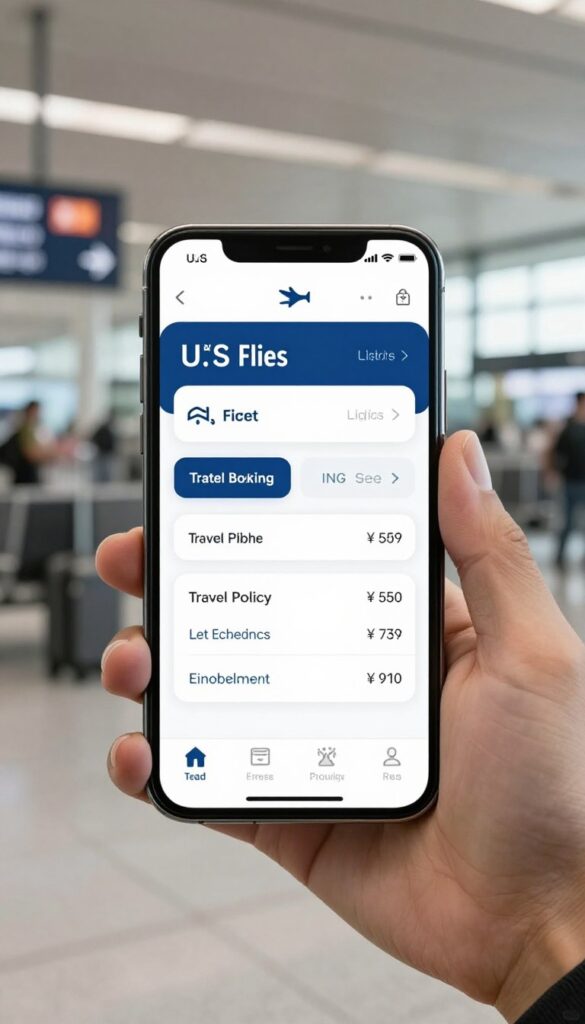
Companies where business travel booking, travel policy, traveler support, and expense management need to work together.
Key features
- Business travel booking and travel policy controls
- Expense capture, receipt scanning, reimbursements, and approvals
- Travel reporting and traveler support
- Corporate cards and travel payment workflows where available
- Mobile experience for travelers and finance teams
Travel capabilities
Navan differs from pure expense-management platforms because travel is central to the product experience. Evaluate booking content, policy enforcement, support, international travel, traveler profiles, and reporting before choosing it.
Expense capabilities
Review expense policies, receipt capture, reimbursements, approval workflows, reporting, HRIS integrations, ERP integrations, and accounting exports. Confirm which features are included for the target company size.
Pricing
Current information indicates a free business option for qualifying companies, with expense functionality free for an initial number of users and custom enterprise pricing. Verify the exact user limits, eligibility, paid features, and travel terms.
Pros
- Strong fit for travel-heavy organizations
- Connects travel and expense workflows
- Useful for international travel programs when coverage is confirmed
Cons
- May be unnecessary for businesses with little travel
- Exact pricing and feature limits require confirmation
Bottom line
Choose Navan over Ramp, Brex, or Expensify when booking, travel policy, traveler support, and travel expenses are central requirements.
BILL Spend & Expense — Best for Small Businesses Using BILL

Best for
Small and mid-sized businesses already using BILL or planning to consolidate related accounts-payable, accounts-receivable, and spend workflows.
Key features
- Corporate cards, employee cards, and virtual cards where available
- Budgets, spend controls, and expense tracking
- Receipt management and expense policies
- Approvals, reporting, and accounting workflow support
- Potential ecosystem value for existing BILL customers
Pricing
BILL states that Spend & Expense has no per-user software subscription fee. BILL Accounts Payable and Accounts Receivable use separate paid plans. Do not treat paid AP or AR features as automatically included with Spend & Expense.
Integrations
Verify accounting integrations, BILL ecosystem connections, card feeds, exports, approval data, and reporting. Confirm whether the workflow supports the company’s accounting software, entities, and expense categories.
Pros
- Potentially simple for existing BILL customers
- No stated per-user software subscription fee for Spend & Expense
- Useful combination of cards, budgets, and spend tracking
Cons
- Value may be lower outside the BILL ecosystem
- AP and AR products have separate pricing and scope
Bottom line
BILL Spend & Expense is most compelling when ecosystem consolidation matters and the business already relies on BILL financial operations.
Ramp vs Brex vs Expensify vs Navan vs BILL
| Buying factor | Ramp | Brex | Expensify | Navan | BILL Spend & Expense |
| Best company size | Small to enterprise | Startups to enterprise | Small to mid-sized | Mid-sized to enterprise; qualifying smaller firms | Small to mid-sized |
| Primary use case | Spend and expense control | Growth and global finance | Reports and reimbursements | Travel and expense | BILL-linked spend control |
| Pricing model | $0 core tier plus paid options | $0 Essentials, paid Premium, enterprise | Free Submit; paid plans | Qualifying free option and custom enterprise | No stated per-user subscription fee for Spend & Expense |
| Corporate card orientation | Strong | Strong | Available; verify fit | Available; verify fit | Strong for BILL users |
| Employee reimbursements | Available | Available | Core strength | Available | Available features vary |
| Travel management | Available features vary | Available | Secondary | Core strength | Limited compared with travel-first tools |
| International operations | Verify coverage | Strong fit; verify coverage | Verify coverage | Verify travel coverage | Verify coverage |
| Best fit | Broad automation | Scale and global complexity | Reimbursements | Frequent business travel | BILL ecosystem |
The most important buying differences
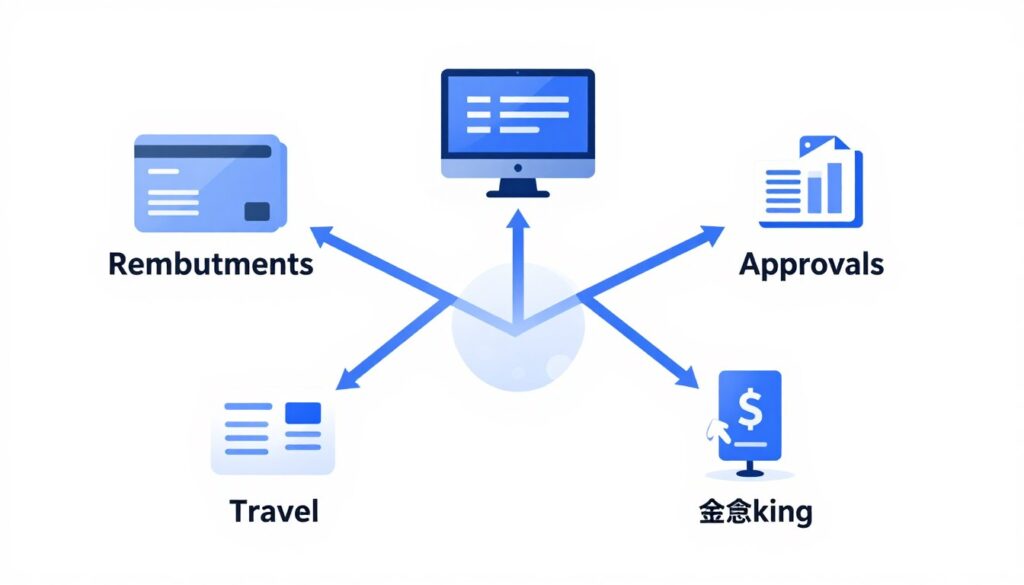
- Choose a card-led platform when spending controls and employee cards are the main problem.
- Choose reimbursement-led software when employees mostly use personal funds.
- Choose travel and expense software when booking and traveler support are core needs.
- Choose an ecosystem platform when reducing vendor complexity is more important than maximum category depth.
What Is Expense Management Software?
The basic workflow
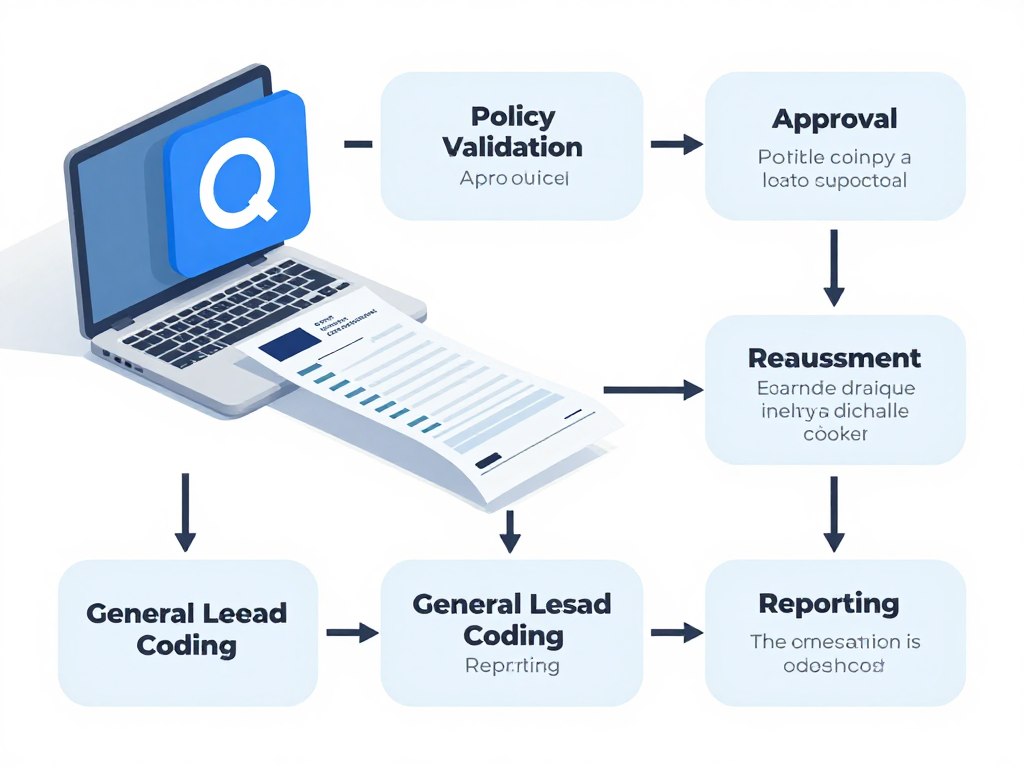
Employee spend begins with a card transaction, reimbursement request, travel booking, or receipt. The platform captures the transaction, extracts data, assigns expense categories, checks the expense policy, routes approval, and sends approved information to accounting.
- Employee spend
- Receipt capture and OCR
- Expense categorization and GL coding
- Policy validation
- Manager approval
- Reimbursement or card reconciliation
- Reporting and audit trail
Related software categories
Expense tracking records business expenses. Expense reporting organizes transactions into reports. Expense management adds policy, approvals, reimbursement, and accounting controls. Spend management often adds budgets, cards, vendor controls, and procurement.
Corporate card platforms focus on issuing and controlling cards. Travel and expense platforms combine business travel booking with T&E reporting. These categories increasingly overlap because finance teams want one source of spend visibility.
How AI Is Changing Expense Management
AI expense management software can reduce repetitive review work, but it does not remove the need for financial controls. Finance teams still need clear policies, approval ownership, exception handling, audit trails, and human oversight.
Capture and coding
Receipt extraction, OCR, merchant identification, receipt matching, expense categorization, and GL coding can reduce manual data entry.
Risk and policy review
Duplicate detection, policy violation detection, anomaly detection, automated audits, and fraud checks can help teams prioritize exceptions.
Decision support
Approval recommendations, spend insights, natural-language reporting, and AI finance assistants can make financial operations easier to review.
Ask vendors which AI functions are available in each plan, whether data can be corrected, how exceptions are logged, and where a human must approve or override the system.
How to Choose Expense Management Software
The right expense management choice depends on workflow fit, not on the number of features shown in a product tour. Start with the company’s size, cardholders, expense submitters, transaction volume, travel needs, international employees, existing cards, reimbursement requirements, accounting platform, ERP, entity structure, policy complexity, approval structure, and budget.
Choose Ramp if…
Choose Ramp if you want a broad combination of corporate cards, spend controls, receipt capture, expense automation, reimbursements, and accounting workflows.
Choose Brex if…
Choose Brex if startup growth, multi-entity operations, international finance, or real-time card controls are more important than a simple reimbursement-only workflow.
Choose Expensify if…
Choose Expensify if employee reimbursements, mobile receipt scanning, expense reports, and mileage are the main priorities.
Choose Navan if…
Choose Navan if business travel, booking, travel policies, traveler support, and travel expenses need to operate together.
Choose BILL Spend & Expense if…
Choose BILL Spend & Expense if your company already uses BILL and wants to consolidate spend tracking, cards, budgets, and related finance workflows.
Choose the right expense management path
Match the platform to your card strategy, reimbursement process, accounting system, travel volume, and policy complexity.
Implementation, Security, and Financial Controls
Implementation sequence
- Map current expense workflows.
- Define the expense policy.
- Identify card requirements.
- Connect accounting systems.
- Configure expense categories and GL codes.
- Configure spending limits.
- Set approval rules.
- Import employees and roles.
- Test reimbursements.
- Train employees and managers.
- Monitor exceptions and audit trails.
- Expand automation gradually.
Security and controls checklist
- MFA and SSO options
- Role-based access
- Segregation of duties
- Employee and administrator permissions
Access
- Card controls
- Merchant restrictions
- Spending limits
- Approval workflows
Spend
- Audit logs
- Encryption details
- Fraud detection
- Verified SOC 2, ISO 27001, or GDPR claims where applicable
Assurance

Security claims should be verified in current vendor documentation. Do not assume that one plan includes SSO, advanced audit trails, encryption documentation, or every compliance certification.
Other Expense Management Alternatives
SAP Concur
Worth considering for larger organizations with mature travel, expense, compliance, and enterprise integration requirements.
Rippling Spend
May fit companies that want spend controls connected with employee and workforce administration.
Zoho Expense
Can suit smaller businesses already using Zoho products and seeking a connected expense reporting workflow.
Payhawk
Consider when global spend controls, cards, budgets, and finance operations are central requirements.
Airbase and Paylocity
Evaluate Airbase where applicable and Paylocity-linked spend options when the existing HR or payroll ecosystem matters.
AppZen
Consider AppZen for automated expense audit and compliance use cases that complement an existing finance stack.
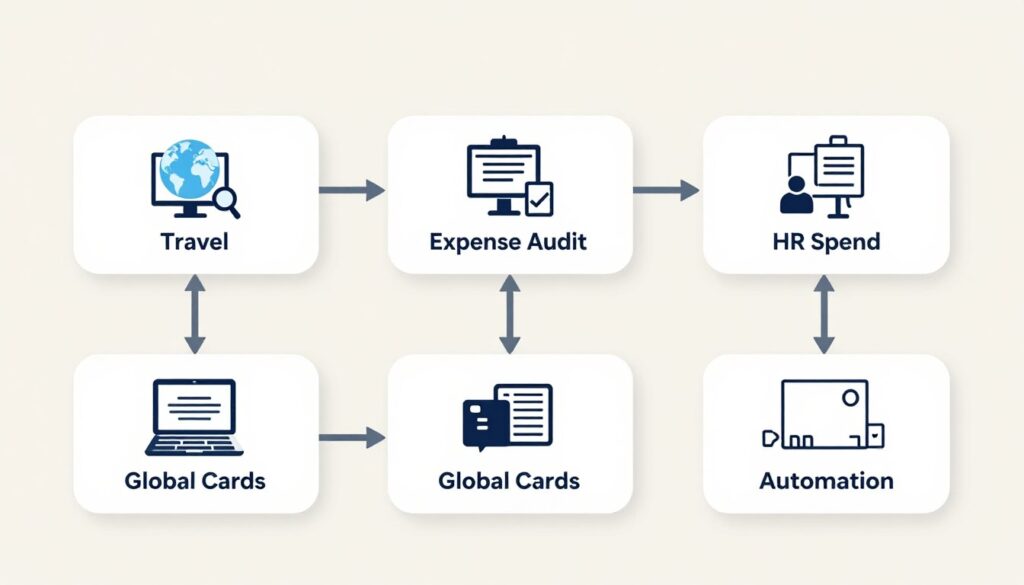
Future supporting content can link naturally to best AI accounting software, best accounts payable automation software, spend management software, business travel software, corporate card software, and financial automation software.
Expense Management Software FAQs
What is the best expense management software?
Ramp is the best overall choice for many U.S. businesses. Brex, Expensify, Navan, and BILL Spend & Expense may be better for global growth, reimbursements, travel, or BILL ecosystem users.
What is the best expense software for small businesses?
Expensify and BILL Spend & Expense can suit smaller businesses, while Ramp may be stronger when cards and spend controls are priorities. Compare total cost, eligibility, and accounting integration.
Is Ramp better than Expensify?
Ramp is usually stronger for card-led spend management and controls. Expensify is often a better fit for receipt capture, traditional expense reports, mileage, and reimbursements.
What is the difference between Ramp and Brex?
Both support cards and spend controls. Brex is particularly attractive for startups, scaling companies, and international operations, while Ramp is a broad general fit for U.S. businesses.
Does expense management software include corporate cards?
Some platforms issue or manage corporate cards, while others focus mainly on reimbursements and expense reports. Confirm card eligibility, virtual cards, limits, controls, and fees.
Can AI automate expense reports?
AI can extract receipt data, match transactions, categorize expenses, identify duplicates, and flag policy exceptions. Human review remains important for controls and unusual transactions.
What is the best software for employee reimbursements?
Expensify is a strong reimbursement-focused option. Ramp, Brex, Navan, and BILL Spend & Expense may be better when reimbursements must connect with cards, travel, or broader spend management.
What is the best travel and expense software?
Navan is the strongest fit when travel booking, travel policies, support, and expenses need to work together. Compare it with broader spend platforms if travel volume is limited.
How much does expense management software cost?
Pricing ranges from free tiers or no per-user subscription fees to paid per-user plans and custom enterprise quotes. Check card terms, plan limits, implementation, integrations, and total cost.
What is the difference between expense management and spend management?
Expense management usually focuses on receipts, reports, approvals, and reimbursements. Spend management adds budgets, cards, vendor controls, procurement, and pre-transaction policy enforcement.

Final Decision: Choose the Best Expense Management Software for Your Business
Ramp is the best overall choice for most U.S. businesses that want expense automation, corporate cards, spend controls, and a broad finance workflow. Brex is a stronger match for growing or international teams. Expensify is practical for reimbursements and expense reports. Navan is the clearest choice when business travel drives spending. BILL Spend & Expense makes the most sense for businesses already committed to BILL.
Before selecting the best expense management software, confirm current pricing, card eligibility, included features, accounting integrations, security documentation, international coverage, and implementation requirements. A short pilot using real receipt capture, approvals, reimbursements, and accounting reconciliation will provide more useful evidence than a feature checklist alone.
Take the next step
Use the comparison to shortlist two or three platforms, then verify pricing, integrations, controls, and workflow fit with the official product teams.