

FloQast is the best overall choice for finance teams that need structured close management and accounting automation. Numeric is the strongest modern AI-first option for growing accounting teams. BlackLine fits sophisticated reconciliation, controls and larger finance environments, while Trintech is a leading choice for complex, multi-entity and multi-system close processes. LiveFlow is attractive for QuickBooks-centric teams that rely on spreadsheets, reporting and consolidation workflows.
This guide compares the best financial close software for U.S. buyers by workflow depth, reconciliation, automation, controls, integrations, scalability, implementation and commercial fit.
The goal is not to identify the platform with the longest feature list. It is to help a controller or CFO select software that fits the existing ERP, close calendar, entity structure, audit needs and finance team capacity.
Product capabilities, integrations, pricing and security commitments can vary by package and contract. Confirm current details with each vendor before signing an agreement.
Best Financial Close Software: Quick Picks
Best overall — FloQast
Best for accounting teams that want dedicated close management, checklists, reconciliations, review workflows and audit-ready documentation without replacing the ERP.
Best AI-first platform — Numeric
Best for modern, growing finance teams that want close workflows, reconciliations, variance analysis and AI-assisted accounting work.
Best for advanced reconciliation — BlackLine
Best for larger mid-market organizations with high reconciliation volumes, stronger control requirements and complex ERP environments.
Best for complex multi-entity close — Trintech
Best for companies with multiple entities, several ERP systems, complex intercompany accounting and strict audit workflows.
Best for QuickBooks-centric teams — LiveFlow
Best for small and growing teams that need connected reporting, consolidation and spreadsheet workflows around QuickBooks.
Top Financial Close Platforms Compared
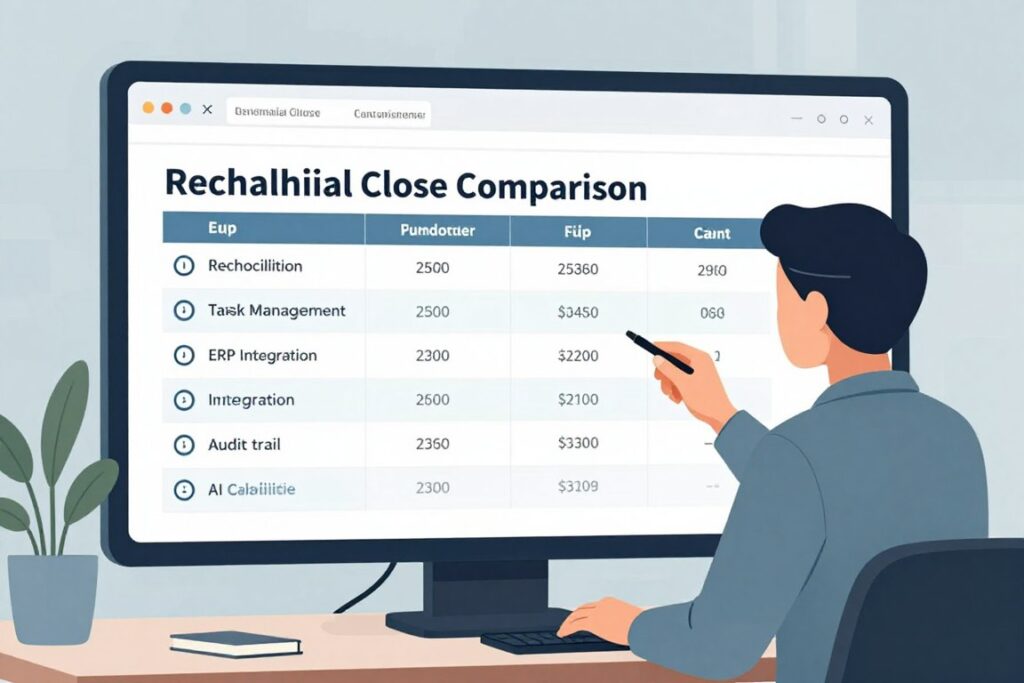
| Software | Best for | Ideal company size | Close task management | Account reconciliation | Transaction matching | Journal entry automation | Variance analysis | AI capabilities | Close checklist | Approval workflows | Multi-entity support | ERP integrations | QuickBooks integration | NetSuite integration | Audit trail | Compliance controls | Financial reporting | Implementation difficulty | Pricing model | Free trial/demo | Primary limitation |
| FloQast | Structured close management and accounting automation | Growing and mid-sized finance teams; larger teams may also fit | Strong dedicated workflows | Available; confirm package and configuration | Available capabilities vary by product and plan | Available capabilities vary by package | Available capabilities vary by configuration | AI-assisted capabilities; verify current scope | Strong | Supported; confirm workflow design | Supported; confirm entity requirements | NetSuite, SAP, Oracle, Microsoft Dynamics and others; verify current support | Confirm current connector and use case | Supported; confirm edition and scope | Strong close documentation focus | Available controls; validate requirements | Close and reporting visibility; confirm reporting depth | Moderate | Custom quote | Demo available; trial status varies | May exceed the needs of a very small company |
| Numeric | AI-first close and reconciliation workflows | Startups, technology companies and growing finance teams | Modern workflow support | Core use case; verify current plan | Verify current availability and scope | Verify current availability and scope | Strong AI-assisted focus | AI assistant and AI-supported analysis; verify current features | Supported workflow capability | Preparer and reviewer workflows; confirm configuration | Designed for growing organizations; confirm complexity fit | Financial data integrations vary | Supported use case; verify current connector | Verify current support | Workflow documentation; confirm audit requirements | Validate against control framework | Analysis and close visibility | Moderate | Essentials publicly listed from $30 per user/month at the time of review; verify current price | Confirm current offer | May be less suited to very complex multinational environments |
| BlackLine | Advanced reconciliation, controls and continuous accounting | Larger mid-market companies and large enterprises | Enterprise close management | Advanced reconciliation focus | Core capability; confirm module | Available by configuration | Available across close workflows | AI and automation capabilities vary by solution | Strong | Strong control orientation | Strong | Major ERP environments; verify current connector | Confirm current support | Common enterprise use case; verify scope | Strong | Strong control and audit orientation | Close and accounting reporting; confirm exact module | Moderate to high | Custom quote | Demo available; trial status varies | Can be excessive for small teams with simple books |
| Trintech | Complex multi-entity and multi-ERP close operations | Mid-market companies and large enterprises | Strong platform and product options | Strong; confirm product package | Available; verify product scope | Available by solution and configuration | Available by product | Embedded and emerging AI capabilities; verify current scope | Strong | Strong | Strong | Multiple ERP environments; verify connector | Confirm current support | Confirm product-specific support | Strong | Strong enterprise orientation | Available by product and platform architecture | Moderate to high | Custom quote | Demo available; trial status varies | Configuration effort may be high for smaller teams |
| LiveFlow | QuickBooks, spreadsheets and connected reporting | Small businesses, growing SMBs and fractional CFO teams | Workflow support; less specialized than enterprise platforms | Confirm depth for the intended use case | Not positioned as the primary enterprise strength | Confirm current capability | Reporting-oriented | Verify current product scope | Confirm current workflow features | Confirm current controls | Reporting and consolidation use cases | QuickBooks-centered data connections | Core strength | Confirm current support | Confirm requirements for formal audit evidence | Less specialized than enterprise close platforms | Strong reporting and dashboard orientation | Low to moderate | Confirm current pricing; use Custom quote if not publicly listed | Confirm current offer | Not a full substitute for advanced reconciliation platforms |
The table is a screening tool, not a substitute for a product demonstration. Ask each vendor to show the exact close, reconciliation, journal and reporting workflows your team uses every month.
How We Evaluated the Best Financial Close Software
The evaluation weights practical close outcomes more heavily than marketing labels. A platform earns a strong position when it helps a finance team organize closing tasks, reduce manual data work, document review and maintain control over financial statements.
| Evaluation area | Weight | What we examined |
| Financial close management | 20% | Close calendar, task management, dependencies, checklists, status and close visibility |
| Reconciliation automation | 20% | Account reconciliation, balance sheet reconciliation, transaction matching and exceptions |
| AI and automation capabilities | 15% | Suggestions, variance analysis, anomaly detection and journal assistance with human review |
| ERP and accounting integrations | 15% | ERP connectivity, data integration, general ledger access and accounting system coverage |
| Controls and auditability | 10% | Audit trails, approval workflow, preparer and reviewer controls and supporting evidence |
| Reporting and analytics | 5% | Close reporting, financial reporting, variance and flux analysis |
| Ease of implementation | 5% | Configuration effort, training, data mapping and change management |
| Scalability | 5% | Multiple entities, users, accounts, ERP systems and growing transaction volume |
| Pricing and value | 5% | Pricing transparency, contract model, administration cost and expected fit |
This approach separates dedicated financial close management software from basic accounting software. QuickBooks, Xero and an ERP may store accounting data, but they do not automatically provide the same close calendar, review evidence, exception management or cross-entity visibility.
FloQast — Best Overall Financial Close Software
Best for
FloQast is best for accounting teams that want a structured close process, clear task ownership and dedicated close automation around an existing ERP or accounting system.
Key features
The platform is associated with close checklists, close calendars, reconciliation management, task dependencies, review workflows, supporting documentation and close progress tracking. These features address the daily operating problem of knowing what is complete, what is late and what still needs reviewer attention.
Depending on the purchased products and configuration, buyers may also evaluate transaction matching, journal entry management, variance analysis and flux analysis. During a demonstration, ask the vendor to show how a preparer submits an account, how a reviewer documents approval and how exceptions appear across multiple entities.
AI capabilities
FloQast’s current AI direction should be assessed feature by feature rather than treated as a single promise. Relevant areas may include AI-assisted reconciliation, journal automation, variance identification, anomaly or risk detection and close intelligence. Confirm which capabilities are generally available, which require a specific package and which remain limited or subject to preview access.
AI should support accounting judgment, not replace it. Materiality thresholds, approval workflow, segregation of duties and an audit trail remain necessary when software suggests a match, journal entry or variance explanation.
Integrations
FloQast is designed to work with accounting systems and ERP environments rather than replace them. Buyers commonly investigate NetSuite, Microsoft Dynamics, Sage Intacct, SAP, Oracle and QuickBooks connections. Integration capabilities can differ by connector, edition and workflow, so request a technical review using your actual chart of accounts and data volume.
Pricing
Pricing is a Custom quote unless the vendor provides a current package-specific offer. Ask whether the quote includes implementation, integrations, reconciliation modules, additional entities, support and user expansion.
Pros
- Strong focus on structured close management.
- Useful visibility into tasks, dependencies and review status.
- Designed to complement an ERP or accounting system.
- Good fit for audit readiness and documented review workflows.
Cons
- May be more than a very small company needs.
- Some advanced functions may depend on product package or configuration.
- Implementation still requires clean account ownership and process design.
Bottom line
FloQast is the strongest overall choice when the main need is a disciplined close operating system with accounting automation and visibility. It is less compelling when a company only needs basic reporting or has a simple QuickBooks close with few reconciliations.
Numeric — Best AI-First Financial Close Software
Best for
Numeric is best for startups, technology companies and growing finance teams that want modern close management, account reconciliation, data analysis and AI-assisted workflows.
Key features
The evaluation should cover month-end close task management, account reconciliation, flux analysis, variance analysis, supporting documentation, preparer and reviewer workflows and close visibility. Numeric is particularly relevant when the accounting team wants more than a static checklist but does not yet need the full complexity of an enterprise close platform.
Ask how the platform handles transaction-level analysis, exceptions, recurring accounts, close documentation and reporting across QuickBooks, Xero or other connected financial systems.
AI capabilities
Numeric’s AI-first position makes AI accounting assistance central to the buying decision. Review the AI accounting assistant, AI-assisted variance explanations, transaction-level analysis and any technical accounting AI capabilities currently available.
Evaluate the quality of evidence behind every suggestion. A useful workflow should show source data, explain the reason for a recommendation and allow a reviewer to approve, reject or edit the result. AI-generated explanations should not bypass internal controls.
Integrations
Numeric emphasizes financial data integrations and workflow connectivity. Slack integration may be relevant for teams that manage closing tasks in communication channels. Confirm current support for QuickBooks, Xero, NetSuite and other accounting systems, along with data refresh frequency, historical data access and permissions.
Pricing
Numeric has published an Essentials plan starting at $30 per user per month at the time of this review. Verify the current price, included features, billing terms and plan structure before publication or purchase. Do not assume that higher-tier pricing or enterprise capabilities are public.
Pros
- Strong fit for modern, growing accounting organizations.
- AI and variance analysis are central to the product story.
- Potentially approachable for teams moving beyond spreadsheets.
- Useful option for technology companies and QuickBooks or Xero users.
Cons
- May not match the depth required by extremely complex multinational close environments.
- Buyers should verify the maturity of every ERP and accounting integration.
- AI output still requires accounting review and control design.
Bottom line
Numeric is the strongest AI-first option for a growing finance team that values modern workflows and analysis. BlackLine or Trintech may be a better fit when the organization has extensive intercompany accounting, high reconciliation volume, multiple ERPs or mature enterprise controls.
BlackLine — Best for Advanced Reconciliation and Financial Controls

Best for
BlackLine is best for larger mid-market companies and large enterprises with high reconciliation volumes, complex accounting operations and strong internal-control requirements.
Key features
BlackLine’s evaluation should cover financial close management, account reconciliation, transaction matching, journal entries, intercompany accounting, close task management, variance analysis, exception management and continuous accounting workflows.
The platform is especially relevant when the close involves multiple entities, significant supporting documentation, formal approval paths and a need for audit trails across recurring accounting activity.
AI capabilities
BlackLine offers automation and AI-related capabilities across its solution areas, but the exact scope should be confirmed by module, edition and current release. Ask for a demonstration of matching suggestions, exception prioritization, anomaly detection, journal support and natural-language analysis if those functions are part of the proposed package.
Integrations
BlackLine is commonly evaluated in major ERP environments. Confirm support for your specific SAP, Oracle, NetSuite, Microsoft Dynamics or other ERP deployment. Integration quality should be judged by data mapping, refresh process, error handling, permissions and the ability to preserve source evidence.
Pricing
Pricing is generally a Custom quote. The commercial review should include implementation, configuration, modules, entities, users, data volume, support and future expansion.
Pros
- Strong reconciliation and control orientation.
- Good fit for complex, high-volume accounting operations.
- Supports formal audit trails and approval workflows.
- Relevant to continuous accounting and multi-entity processes.
Cons
- Implementation and administration can be substantial.
- May be overkill for a small company with simple books.
- Requires change management and clear ownership of accounting controls.
Bottom line
BlackLine is a strong choice when reconciliation, controls and exception management matter more than a lightweight user experience. It should be shortlisted by organizations that can support enterprise implementation and ongoing administration.
Trintech — Best for Complex Multi-Entity Financial Close

Best for
Trintech is best for organizations with multiple entities, large reconciliation volumes, several ERP environments, complex journal workflows and strict audit requirements.
Key features
Trintech’s platform architecture includes products and solution areas that should be evaluated separately. Depending on the package, buyers may review financial close, account reconciliation, transaction matching, daily reconciliation, journal entries, intercompany processes, exception management, variance analysis and consolidation-related workflows.
Do not assume that every capability belongs to every Trintech product. Ask the vendor to map each required use case to a named product, edition and implementation deliverable.
AI capabilities
Current AI discussions may include embedded AI, AI-assisted reconciliation, exception handling, variance analysis, predictive close insights and agentic workflows. The buyer should ask what the AI can recommend, what it can execute, what evidence it records and where human approval is mandatory.
Agentic workflows require careful governance. Use materiality limits, role-based access, segregation of duties, approval steps and exception review before enabling higher levels of automation.
Integrations and consolidation
Trintech is relevant when data must move across multiple ERP systems and entities. Review data integration, intercompany reconciliation, intercompany eliminations, close consolidation, financial consolidation and reporting requirements as one connected process.
Pricing
Pricing is a Custom quote. Request a product-by-product commercial breakdown that identifies implementation, integration, entity, user, support and expansion costs.
Pros
- Strong fit for complex multi-entity operations.
- Relevant to multiple ERP systems and large reconciliation programs.
- Good control and audit orientation.
- Broad platform architecture for complex use cases.
Cons
- Configuration can be complex.
- Enterprise implementation effort may not suit a small finance team.
- Buyers must understand which capability belongs to which product.
Bottom line
Trintech should be shortlisted when the close spans multiple entities, systems and control requirements. It may be more platform than a growing company needs if its accounting structure remains simple.
LiveFlow — Best for QuickBooks and Spreadsheet-Centric Finance Teams
Best for
LiveFlow is best for small accounting teams, growing SMBs, fractional CFO teams and finance professionals who depend on QuickBooks, spreadsheets and connected reporting.
Key features
Evaluate QuickBooks data integration, Google Sheets workflows, Excel support where currently available, management reporting, cash flow reporting, budgeting, forecasting, A/P and A/R reporting, dashboards and data synchronization.
LiveFlow can help teams reduce manual data movement between accounting systems and spreadsheet reports. It differs from highly specialized enterprise financial close platforms that focus on advanced reconciliation, control design, transaction matching and formal close evidence.
Automation
The key automation value is report automation and synchronized financial data rather than a promise that every closing task is automated. Ask how the product handles multi-entity reporting, consolidation, data refresh, report permissions and month-end close workflows.
Integrations
QuickBooks is central to the evaluation. Confirm current support for Google Sheets, Excel and any additional accounting or ERP integrations required by the business. Test the connection with real account mappings and a representative reporting period.
Pricing
Verify current pricing before publication. If the vendor does not publish a list price for the required package, state Custom quote and request a detailed proposal.
Pros
- Strong fit for QuickBooks-centered reporting.
- Useful for spreadsheet-dependent finance teams.
- Relevant to management reporting and consolidation workflows.
- May be easier to adopt than an enterprise close platform.
Cons
- Not a direct substitute for advanced BlackLine or Trintech reconciliation controls.
- Buyers should verify formal audit trail and approval requirements.
- Complex multinational close processes may require a broader platform.
Bottom line
LiveFlow is attractive when the immediate problem is connected reporting around QuickBooks and spreadsheets. It is less suitable when the core need is advanced financial close management, high-volume matching or extensive compliance controls.
FloQast vs Numeric vs BlackLine vs Trintech vs LiveFlow
Choose FloQast for structured close management
- Strong close checklist and task management.
- Good balance of workflow, reconciliation and audit readiness.
- Best fit when the ERP should remain the system of record.
- Moderate implementation for a growing accounting team.
Choose Numeric for AI-first accounting workflows
- Modern approach to variance analysis and accounting assistance.
- Good fit for startups and technology companies.
- Review current integrations and control depth carefully.
- Potentially lighter than an enterprise platform.
Choose BlackLine for controls and reconciliation scale
- Strong reconciliation, matching and exception use cases.
- Good fit for large volumes and formal controls.
- Enterprise ERP integration is central to evaluation.
- Higher implementation and administration expectations.
Choose Trintech for multi-entity complexity
- Strong fit for multiple entities and ERP systems.
- Useful for complex intercompany accounting and consolidation.
- Product architecture requires careful scoping.
- Enterprise orientation may exceed smaller team needs.
Choose LiveFlow for QuickBooks reporting
- Strong reporting and spreadsheet connection.
- Good fit for SMBs and fractional CFO teams.
- QuickBooks-centered workflows are a key strength.
- Not designed to match every enterprise close control.
Compare before requesting a proposal
- Map your ERP and accounting systems first.
- List reconciliations, journal entries and entities.
- Ask for a workflow demonstration using your process.
- Separate public pricing from custom quote terms.
FloQast is the broadest recommendation for a finance team seeking dedicated close management. Numeric is the most differentiated for AI-first workflows. BlackLine and Trintech are stronger candidates when scale, controls, multiple entities, intercompany eliminations and ERP complexity dominate the buying decision. LiveFlow is the practical choice when reporting and QuickBooks connectivity matter more than enterprise close controls.
What Is Financial Close Software?
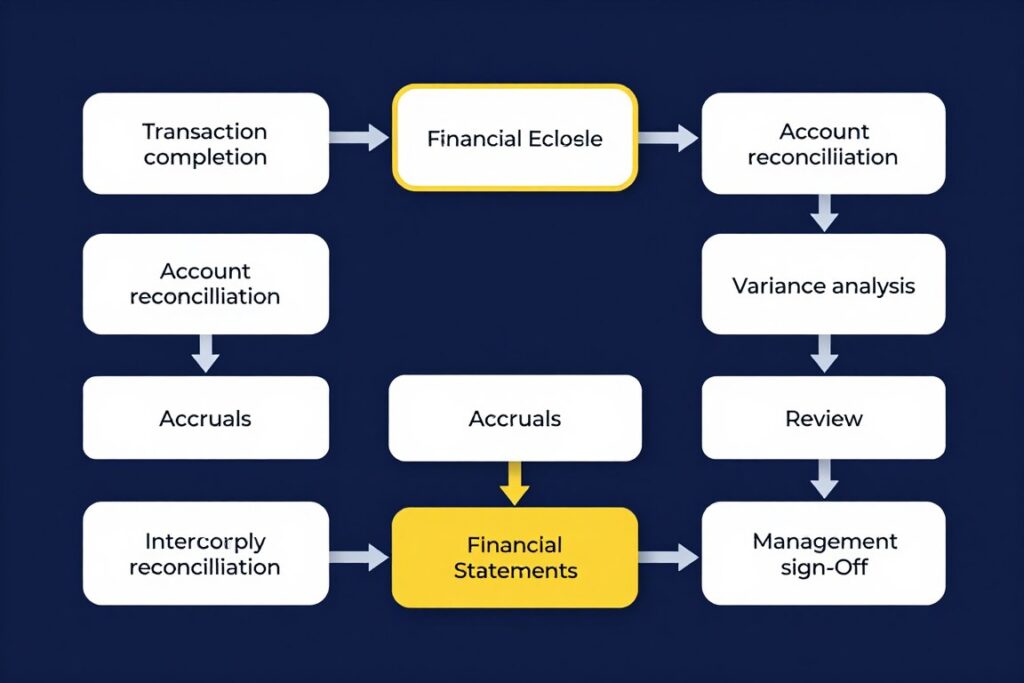
Financial close software organizes the work required to move from completed transactions to approved financial statements. It usually adds task management, close calendars, account reconciliation, supporting evidence, approval workflows, exception management and reporting around an ERP or accounting system.
The financial close lifecycle
- Complete transactions and subledger activity.
- Review the general ledger and trial balance.
- Perform bank reconciliation and balance sheet reconciliation.
- Prepare accruals and journal entries.
- Complete transaction matching and account reconciliation.
- Perform variance analysis and flux analysis.
- Resolve intercompany reconciliation issues and intercompany eliminations.
- Review supporting documentation.
- Prepare the balance sheet, income statement and cash flow statement.
- Obtain management sign-off and preserve audit evidence.
How adjacent categories differ
Accounting software records transactions and produces basic reports. An ERP connects accounting with operational systems, purchasing, inventory, payroll or other business functions.
Financial close software manages closing tasks, reconciliations, review and evidence. Account reconciliation software focuses more narrowly on proving that account balances are complete, accurate and supported.
Financial consolidation software combines entities and supports eliminations. FP&A software focuses on budgets, forecasts and financial planning. Financial reporting software distributes analysis and statements to internal or external audiences.
These categories overlap. A close management software platform may include reconciliation, reporting or consolidation capabilities, but buyers should verify the exact module rather than assume a broad category label includes every workflow.
How AI Is Changing the Financial Close
AI can help accounting teams review more data, identify exceptions and reduce repetitive work. It does not remove the need for accountants, controllers or CFO oversight.
Useful AI use cases
- Automatic transaction matching.
- Reconciliation suggestions.
- Variance explanations.
- Anomaly and risk detection.
- Journal entry assistance.
- Close task prioritization.
- Exception handling.
- Natural-language financial analysis.
Controls that remain necessary
- Human approval of material accounting decisions.
- Materiality thresholds and documented policies.
- Segregation of duties.
- Preparer and reviewer controls.
- Source evidence and audit trails.
- Access permissions and data retention.
- Model and prompt governance.
- Review of AI-generated explanations.
AI accounting assistants may summarize a variance or suggest a matching entry, but the controller must still decide whether the conclusion is reasonable. Generative AI and machine learning can increase productivity, yet the quality of the result depends on clean financial data, stable account mappings and well-defined rules.
AI agents and predictive close timelines should be evaluated through controlled use cases. Start with low-risk recommendations, monitor exceptions and expand automation only after the finance team validates accuracy, traceability and approval behavior.
How to Choose Financial Close Software
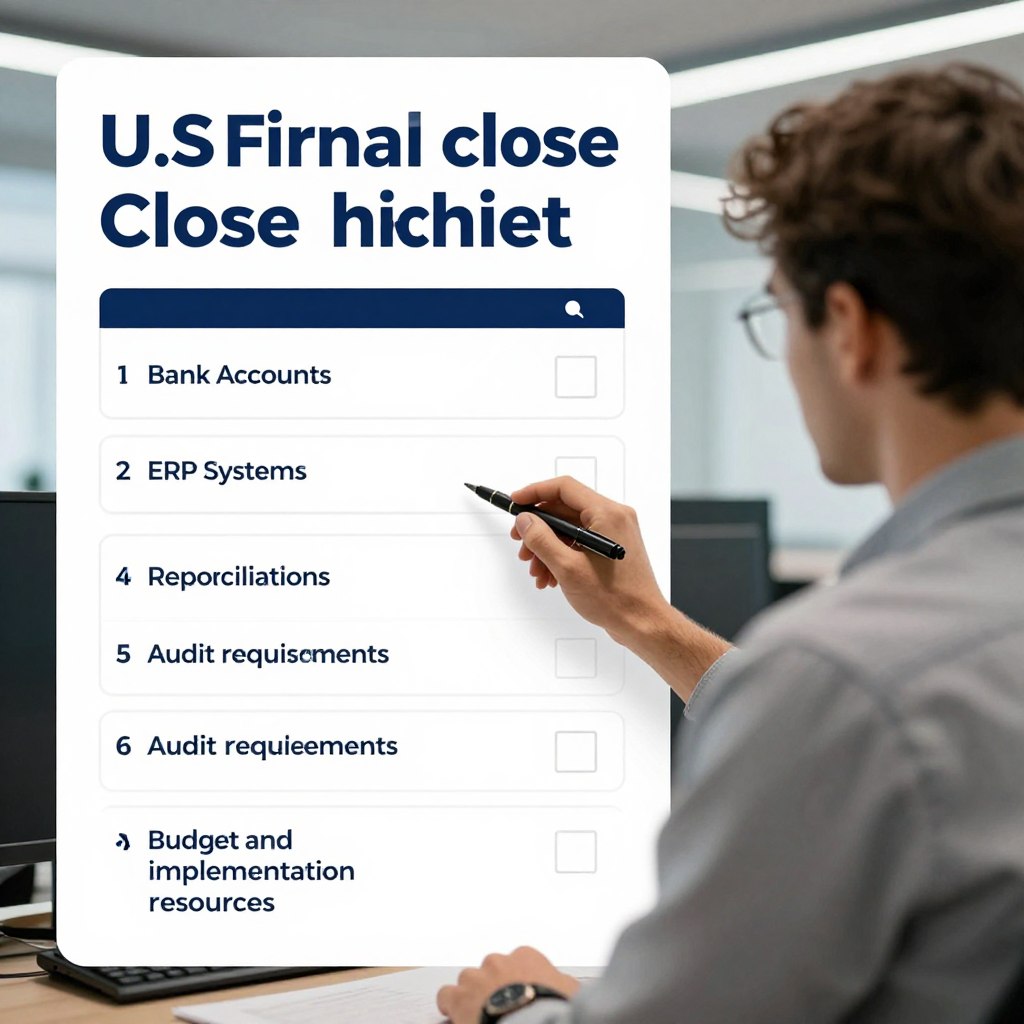
Start with the close process, not the vendor brand. Document the number of entities, bank accounts, reconciliations, journal entries, ERP systems, accounting users, reporting requirements and days required to close.
- Company size and finance team capacity.
- Number of entities and intercompany relationships.
- Monthly reconciliation volume and transaction volume.
- ERP environment and accounting system connections.
- Close duration and recurring bottlenecks.
- Spreadsheet dependence and manual data movement.
- Journal entry volume and approval requirements.
- Audit, SOX and internal-control expectations.
- Financial reporting and consolidation needs.
- Budget, implementation resources and change capacity.
Choose FloQast if…
Choose FloQast if your team needs a mature close calendar, task management, reconciliation workflow and audit-ready documentation around an existing ERP.
Choose Numeric if…
Choose Numeric if your growing finance team values AI-assisted variance analysis, modern workflows and a lighter approach to close automation.
Choose BlackLine if…
Choose BlackLine if reconciliation volume, transaction matching, controls, exception management and enterprise accounting operations are central to the decision.
Choose Trintech if…
Choose Trintech if multiple entities, multiple ERP environments, intercompany accounting and complex consolidation processes drive the buying need.
Choose LiveFlow if…
Choose LiveFlow if your team is centered on QuickBooks, Google Sheets, reporting, cash flow visibility and spreadsheet-connected consolidation.
Implementation framework
- Map the existing close process.
- Measure current close duration.
- Inventory reconciliations.
- Identify manual spreadsheet workflows.
- Define system integrations.
- Clean account mappings.
- Define preparer and reviewer roles.
- Configure close checklists.
- Test reconciliations.
- Validate journal workflows.
- Run a parallel close.
- Expand automation gradually.
Control validation should come before higher levels of automation. A faster process is not better if it creates unsupported journal entries, weak review evidence or unclear responsibility.
Security, Compliance and Internal Controls
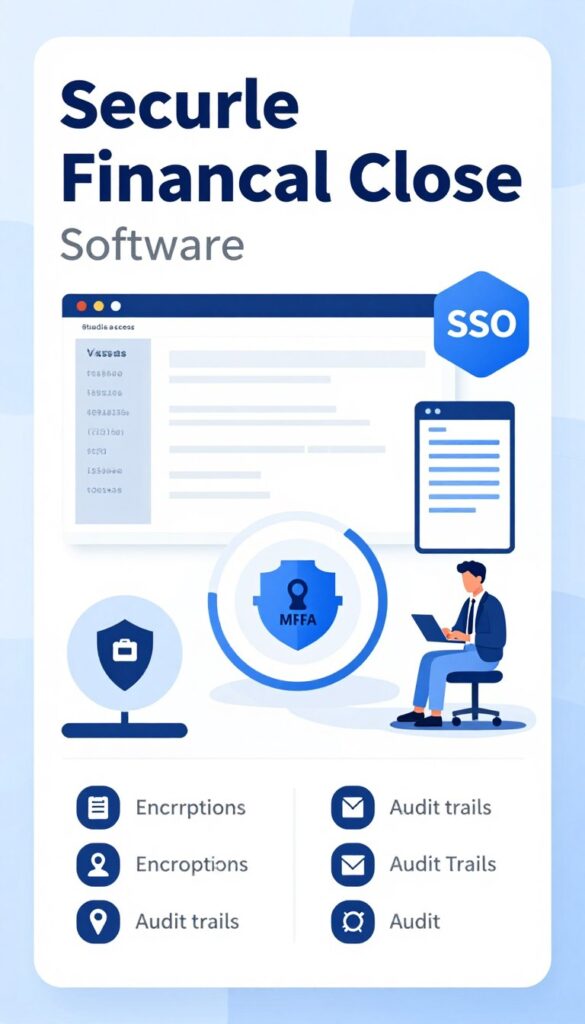
Security review should cover both the vendor and the customer’s configuration. Ask about role-based access, segregation of duties, preparer and reviewer controls, approval workflows, audit trails, encryption, SSO, MFA and data retention.
Request current evidence for SOC 1, SOC 2 or SOC 2 Type II reports, ISO 27001 certification and other relevant controls. Never assume a vendor holds a certification because its website uses broad security language. Confirm the scope, reporting period and services covered.
SOX support is not the same as SOX compliance. A platform may provide permissions, approvals and audit evidence, while the customer remains responsible for control design, operation, testing and management certification.
For AI features, ask how customer data is used, whether prompts or financial data are retained, whether information is used to train shared models, how access is governed and how AI recommendations are logged. Review third-party integrations for permissions, token management and termination procedures.
Which Business Size Needs Financial Close Software?
Small finance teams
A very small company with one entity, limited reconciliations and simple QuickBooks reporting may not need dedicated close management software. Accounting software, a documented checklist and disciplined review may be sufficient.
Growing SMBs
Growing companies benefit when spreadsheets, recurring reconciliations and unclear task ownership begin to slow the month-end close. Numeric, LiveFlow or FloQast may be relevant depending on workflow depth.
Mid-sized businesses
Mid-sized businesses often need stronger approval workflows, account reconciliation, reporting, audit trails and multi-entity visibility. FloQast, BlackLine and Trintech may be stronger candidates.
Multi-entity companies
Multiple entities increase the importance of intercompany accounting, intercompany eliminations, consolidation, close status and consistent controls across ERP systems.
Larger organizations
Larger enterprises should assess scalability, data integration, administration, compliance, controls, implementation governance and support before selecting a platform.
Use honest fit criteria
Do not buy an enterprise platform solely because it has more features. Match the platform to process complexity, control risk, team capacity and expected growth.
Financial Close Software Alternatives
Workiva may suit organizations that connect reporting, compliance and controlled business processes. OneStream and CCH Tagetik are relevant when financial consolidation, performance management and enterprise planning are central.
Datarails and Vena may fit teams that want planning, reporting and spreadsheet-connected financial planning workflows. Adra by Trintech can be relevant for organizations seeking a focused reconciliation or close solution within the broader Trintech ecosystem.
SAP Advanced Financial Closing and Oracle Cloud EPM are worth reviewing when the company already has a major SAP or Oracle environment and wants closer alignment with its enterprise architecture.
For adjacent buying needs, review the best AI accounting software, the best accounts payable automation software and the best expense management software.
Future supporting content should link to account reconciliation software, financial reporting software, FP&A software, ERP software, cash flow forecasting software and financial automation software.
Financial Close Software FAQs
What is the best financial close software?
FloQast is the best overall choice for structured close management and accounting automation. Numeric is strongest for AI-first growing teams, BlackLine for advanced controls, Trintech for complex multi-entity operations and LiveFlow for QuickBooks-centered reporting.
What is financial close management software?
It organizes close calendars, tasks, reconciliations, journal workflows, approvals, evidence, exceptions and reporting around an accounting system or ERP.
What is the best month-end close software?
The best month-end close software depends on complexity. FloQast is a broad choice, Numeric suits growing AI-focused teams, and BlackLine or Trintech fit larger and more complex accounting operations.
Can AI automate the financial close?
AI can assist with matching, reconciliation suggestions, variance explanations, anomaly detection and task prioritization. Human approval, materiality rules, segregation of duties and auditability remain essential.
Is FloQast better than BlackLine?
FloQast may be better for structured close management and approachable workflow adoption. BlackLine may be better for high-volume reconciliation, sophisticated controls and larger finance environments.
What is the difference between FloQast and Numeric?
FloQast is positioned as a broad close management and accounting automation platform. Numeric emphasizes modern, AI-first close workflows and analysis for growing finance teams.
Does QuickBooks have financial close management?
QuickBooks stores accounting data and supports reporting, but it may not provide the dedicated close checklist, reconciliation evidence, approval workflow and cross-entity visibility required by a complex finance team.
How much does financial close software cost?
Many vendors use custom quotes based on users, entities, modules, integrations and implementation. Numeric has published an Essentials price starting at per user per month at the time of review; verify current terms.
What software is used for account reconciliation?
FloQast, BlackLine and Trintech are strong candidates for dedicated reconciliation programs. Numeric may suit growing teams, while LiveFlow is more focused on connected reporting and spreadsheet workflows.
How can companies automate month-end close?
Map the process, standardize account ownership, connect financial data, configure a close checklist, automate reconciliations, define reviewer controls, test in parallel and expand automation gradually.
Final Selection Framework

Select FloQast when structured close management is the priority. Select Numeric when an AI-first workflow fits a growing accounting team. Select BlackLine when reconciliation scale and controls dominate. Select Trintech when multiple entities, ERP systems and complex consolidation drive the requirement. Select LiveFlow when QuickBooks, spreadsheets and reporting are the central workflow.
Before requesting a proposal, document the current close process, list your integrations, quantify reconciliation volume and define the control evidence your auditors require. Then ask each vendor to demonstrate the same use cases using comparable data and roles.
The right platform should help finance teams close faster without weakening judgment, review or auditability. A disciplined selection process is more valuable than choosing the tool with the most features.