

Finding the best AI financial assistants can make a confusing money picture easier to understand. The right platform can connect accounts, track spending, flag risks, and turn financial data into useful next steps.
This guide compares leading US tools for budgeting, cash flow, credit, investments, privacy, and everyday finance management.
| Platform name | Primary US banking integrations | Security compliance and standards | 256-bit SSL | Plaid integration | Automated expense tracking | Predictive budgeting | Real-time net worth tracking | Automated insights | Pricing tiers | Best for |
| Monarch Money | Broad bank, credit-card, loan, and investment connections; coverage can vary by institution | Review current provider and aggregation disclosures before connecting accounts | Confirm current documentation | May use multiple aggregation providers; verify by institution | Yes, with categorization and rules | Planning and trend tools; verify specific forecasting features | Yes, subject to account-sync timing | Yes | Free trial or paid subscription options may change | Households and full-picture planning |
| Copilot Money | US bank, card, cash, and investment account connections; confirm institution support | Review current privacy, encryption, and data-provider statements | Confirm current documentation | Confirm current connection method for each institution | Yes | Trend-based planning; verify current scope | Yes, based on synced balances | Yes | Paid subscription; current amount may change | Design-focused users who want fast daily feedback |
| YNAB | Direct and third-party connections vary by bank and plan | Review current security center and provider disclosures | Confirm current documentation | May be available for selected connections; verify current support | Yes, with manual planning control | Strong forward allocation model rather than passive prediction | Available through account and budget data, subject to sync | Budget-focused insights | Subscription with trial terms that may change | People who want active, intentional budgeting |
Executive Summary: Choosing the Best AI Financial Assistants in 2026
Inflation, changing interest rates, and uneven income can make monthly planning harder for US households. AI finance tools help by organizing financial data and reducing repetitive finance tasks.
Most platforms connect bank accounts, credit cards, loans, and investment accounts. They then categorize spending, identify trends, monitor subscriptions, and provide automated insights.
Monarch Money is positioned for broad household planning. Copilot Money focuses on a polished experience and quick spending feedback. YNAB is built around active allocation and behavior change.
Simplifi is suited to users who want a simpler view of spending and bills. Empower is more relevant to users who prioritize investment and net worth analysis.
Start with your highest-priority finance task
Choose a platform only after confirming bank coverage, privacy controls, pricing, and the features you will use each week.
What the Ranking Pages Reveal About CTA Strategy
Wealth Enhancement: advisory-led intent
The supplied URL is a personal-finance article from Wealth Enhancement. Its likely primary goal is to inform readers while introducing professional financial planning services.
The likely audience is B2C, with some high-value prospects. Readers may be cold at the start but become warm when the article discusses complex financial decisions, retirement, investment risk, or personalized planning.
The likely offer is a financial advisory service. The desired action is usually an inquiry, consultation, or request for contact rather than an immediate software purchase.
For this type of page, a native CTA works best after educational proof. A button such as “Talk with a financial professional” is less disruptive than an early sales banner.
Fiscal.ai: education with product-discovery potential
The Fiscal.ai URL suggests a roundup of AI tools for finance. Its primary goal is likely informational, with a secondary goal of introducing software or generating interest in an AI finance product.
The target audience may include finance teams, analysts, founders, and technology buyers. This is mainly B2B, with cold readers comparing tools and warm readers looking for automation.
The offer type may include software registration, product education, or a request for a demonstration. The strongest action is likely to explore a product, view features, or register for access.
A separate CTA block after the tool comparison can work well because the reader has already seen the use case and can evaluate fit.
CloudEagle.ai: B2B lead generation
The CloudEagle.ai URL suggests a B2B article about AI tools for finance. Its primary commercial objective is likely lead generation for software management, procurement, or finance operations.
The target audience is finance leaders, procurement teams, IT managers, and operations professionals. These are cold or warm B2B prospects with concerns about cost, audit controls, integration, team management, and security.
The likely offer is a software demonstration, consultation, or application. The desired action is to submit a request or book a conversation.
B2B CTAs usually work best when they connect the article topic to a business outcome. “See how finance teams reduce software waste” is stronger than a generic “Learn more.”
Cross-page CTA pattern
- Educational content attracts cold search traffic.
- Trust signals reduce objections before a commercial CTA.
- Buttons are most useful after a comparison, recommendation, or problem-specific explanation.
- Service pages favor consultation CTAs.
- Software pages favor trial, registration, demo, or pricing CTAs.
- Native, specific language is better aligned with professional finance readers.
How to Evaluate an AI Finance Platform Before You Connect Accounts
Account coverage
Check whether the platform supports your banks, credit unions, credit cards, loans, brokerages, and retirement accounts. A long provider list does not guarantee a successful connection.
Automation depth
Separate simple data display from useful automation. Look for recurring transaction rules, automated expense tracking, subscription monitoring, bill alerts, and cash flow analysis.
Recommendation quality
AI-generated insights should explain the reason behind a suggestion. Users need enough information to review a recommendation before making financial decisions.
Pricing value
Compare annual and monthly billing. Include the value of time saved, but also account for trial limits, household access, export restrictions, and premium features.

Monarch Money Review
Overview
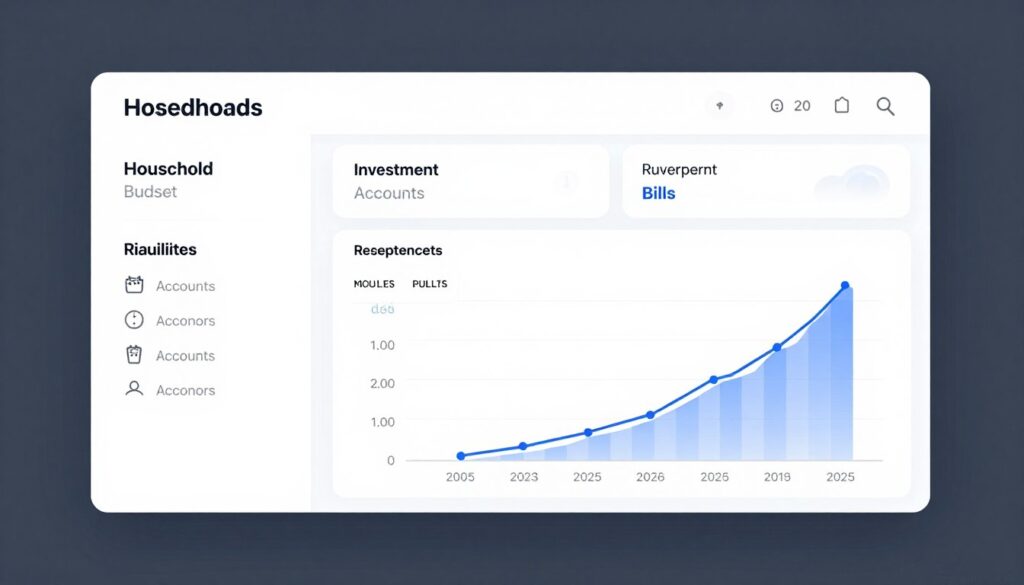
Monarch Money is designed for users who want one view of household finance. It can bring spending, budgets, investments, liabilities, and net worth into one platform, subject to account connectivity.
Key AI Features
- Automated expense tracking and transaction categorization.
- Custom rules for repeated finance tasks.
- Cash flow views and recurring transaction monitoring.
- Net worth tracking across connected accounts.
- Household collaboration and financial planning features.
Bank Security Standards
Review current encryption, authentication, account-aggregation, and data-sharing documentation before use. Confirm whether your connection uses Plaid or another provider. Do not assume that every institution receives identical treatment.
Pros
- Broad household finance perspective.
- Useful combination of budget and net worth management.
- Good fit for shared financial planning.
Cons
- Paid access may not suit users seeking a free tool.
- Account-sync quality can vary by institution.
- Advanced AI capabilities should be tested against real needs.
Pricing
Review the current monthly, annual, trial, and household terms on the official pricing page. Prices and promotional offers may change.
Explore household finance management
Use Monarch when shared budgets, net worth tracking, and a broad account view matter most.
Copilot Money Review
Overview
Copilot Money is aimed at users who want a modern interface for spending, budgets, investments, and account monitoring. Its value depends on supported institutions and the quality of its automated categorization.
Key AI Features
- Automated expense tracking with category suggestions.
- Spending trend analysis and budget monitoring.
- Recurring payment and subscription visibility.
- Portfolio and net worth views where supported.
- Personalized insights designed for frequent review.
Bank Security Standards
Check the current privacy policy and security information for encryption, authentication, storage, and aggregation partners. Verify whether Plaid integration applies to your bank connection.
Pros
- Fast, visually clear daily finance review.
- Strong appeal for users who prefer mobile-first management.
- Useful for identifying spending patterns.
Cons
- Paid access may reduce value for basic budget users.
- Forecasting depth may not match a dedicated cash flow planner.
- Users should check platform and institution availability.
Pricing
Confirm current monthly and annual tiers, trial terms, and supported devices on the official site.
Turn daily spending into useful feedback
Copilot may fit users who want a polished interface and frequent automated spending insights.
YNAB Review
Overview
YNAB uses an intentional budgeting method. Instead of only reporting past spending, it asks users to assign available money to current priorities.
Key AI Features
- Rule-based budget allocation.
- Automated transaction import and categorization.
- Goal tracking for debt, savings, and planned spending.
- Forward-looking cash flow management.
- Reports that support behavior and financial planning.
Bank Security Standards
Review current connection providers, encryption statements, authentication options, and data-sharing controls. Confirm whether your bank supports the preferred connection method.
Pros
- Strong framework for active budgeting.
- Useful for debt payoff and savings goals.
- Clear connection between income and spending priorities.
Cons
- Requires consistent user participation.
- May feel demanding for users who want passive analysis.
- Net worth and investment analysis are not its central purpose.
Pricing
Check the current trial period, monthly price, annual price, and available plan limits before subscribing.
Build a more intentional budget
Choose YNAB if assigning money to goals is more important than passive financial reporting.

Quicken Simplifi Review
Overview
Simplifi is designed for straightforward personal finance management. It can help users view spending, upcoming bills, savings goals, and account balances without requiring a complex budgeting method.
Key AI Features
- Automated expense tracking.
- Spending plans and category monitoring.
- Bill and subscription visibility.
- Cash flow views based on income and transactions.
- Reports for recurring finance tasks.
Bank Security Standards
Review current Quicken security statements and aggregation details. Confirm encryption in transit and at rest, authentication practices, provider access, and account disconnection procedures.
Pros
- Accessible for users who want less setup.
- Useful balance of spending and bill management.
- Can support regular financial reviews.
Cons
- Advanced predictive budgeting may be limited.
- Institution connections may require troubleshooting.
- Users should compare current pricing and promotional terms.
Pricing
Verify current monthly or annual pricing, trial terms, renewal pricing, and any plan restrictions before purchase.
Simplify recurring money management
Simplifi is worth considering when you want spending, bills, and goals in one less complex workspace.
Empower Personal Dashboard Review
Overview
Empower Personal Dashboard is best known for investment views and net worth analysis. It may suit users who want to connect cash, credit, retirement, and brokerage information in one place.
Key AI Features
- Real-time net worth tracking based on account sync.
- Investment and portfolio analysis.
- Cash flow and spending views.
- Retirement and allocation planning tools.
- Automated financial information and trend reports.
Bank Security Standards
Review current security, encryption, account aggregation, authentication, and advisory disclosures. Distinguish free dashboard access from any separate advisory service.
Pros
- Strong focus on investments and net worth.
- Useful for users with multiple portfolio accounts.
- May provide a free starting point for financial analysis.
Cons
- Budgeting may be less hands-on than dedicated budget tools.
- Some services may lead to advisory marketing.
- Account data depends on successful provider connections.
Pricing
Review free dashboard terms and any advisory fee schedule separately. Do not confuse free tracking features with paid professional financial services.
Track investments and net worth
Empower may be a better fit when portfolio analysis is central to your financial planning.
Feature-by-Feature Finance Tool Comparison
Automated expense tracking
Look for automatic imports, reliable categories, merchant correction, and rules. The best tool is not the one that claims the most intelligence. It is the one that needs the least correction.
Predictive budgeting and cash flow
Predictive budgeting should account for recurring income, bills, debt payments, and seasonal spending. Forecasts are estimates, not guarantees.
Real-time net worth tracking
Net worth views can support planning, but “real-time” usually means the latest successful account sync. Market values and institution refresh times can change.
Credit and debt management
Compare credit monitoring, debt balances, interest information, payoff goals, and alerts. Avoid tools that present generic recommendations as personal advice.
Investment analysis
Investors should review allocation analysis, fees, account coverage, retirement planning, and whether recommendations are educational or advisory.
Security, Privacy, Plaid Integration, and Data Controls
Encryption claims
Many financial services mention encryption in transit and at rest. Some may describe 256-bit SSL or equivalent transport protection. Verify the exact wording in current security documentation.
Plaid and account aggregation
Plaid integration is not universal. Some platforms use Plaid, while others use alternative data providers or multiple connection methods. Check your bank before opening a paid account.
Authentication and access
- Use a unique password and multi-factor authentication where available.
- Review which accounts are connected and remove unused links.
- Prefer read-only aggregation when the platform offers it.
- Understand whether the service can initiate transfers or only read information.
- Review deletion, export, and data-sharing controls.
Security review checklist
- Confirm the official app and domain.
- Read current privacy disclosures.
- Check supported institutions.
Before connecting
- Enable multi-factor authentication.
- Connect only needed accounts.
- Review permission screens.
During setup
- Review sync activity.
- Correct categorization errors.
- Remove unused connections.
After setup
Review security before starting a trial
A strong CTA can invite action without overstating protection: read the provider’s current privacy and security information first.

US Tax Integration and Financial Data Exports
What these tools usually do
Most budgeting platforms organize transactions and provide reports. That does not mean they prepare federal or state tax returns.
Questions to ask
- Can transactions be exported as CSV or another usable format?
- Can the platform separate business, personal, charitable, and investment activity?
- Does it connect directly to tax software?
- Are investment documents, tax forms, or cost-basis records included?
- Can a tax professional review the exported information?
Tax-use warning
Automated categories can contain errors. Review records against statements and tax documents. Consult a qualified tax professional for filing decisions.

Best Platform by User Profile
Beginners
Choose a simple tool with clear categories, bill visibility, and low setup effort. Avoid paying for advanced analysis you will not use.
- Prioritize ease of use.
- Check bank coverage.
- Start with one monthly review.
Irregular-income households
Focus on cash flow, upcoming obligations, flexible goals, and the ability to plan around changing income.
- Test forecast quality.
- Track recurring bills.
- Keep a cash reserve category.
Debt-payoff users
Look for debt balances, interest information, payoff goals, spending rules, and progress reports.
- Track minimum payments.
- Protect essential expenses.
- Review interest costs.
Investors
Prioritize net worth, portfolio analysis, retirement accounts, allocation views, and investment data coverage.
- Verify brokerage support.
- Review valuation timing.
- Separate education from advice.
Privacy-focused consumers
Read data-sharing, deletion, authentication, aggregation, and account-access information before subscribing.
- Use multi-factor authentication.
- Connect only necessary accounts.
- Review permissions regularly.
Free-tool seekers
Compare free access limits, advertising, advisory marketing, exports, and the cost of premium features.
- Check renewal terms.
- Test account sync first.
- Read privacy terms.
How to Build Higher-Converting CTAs for This Search Intent
Opening CTA
Use a soft CTA after the comparison table. The reader is still gathering information, so “Compare current plans” is more suitable than “Buy now.”
Review CTA
End each product review with an action tied to the product’s strongest use case. This keeps the offer relevant and reduces decision friction.
Trust CTA
After security content, invite readers to review account-linking documentation. This CTA answers a concern instead of interrupting the research process.
Final CTA
End with a clear recommendation and one primary link. The reader should know what to do next and why.
FAQ About AI Financial Assistants
Can an AI finance tool prepare my US tax return?
Usually not by itself. Many tools organize financial data or provide exports, but tax preparation, filing, and tax advice may require dedicated tax software or a qualified professional.
Is my financial data private?
Privacy depends on the provider’s collection, storage, sharing, retention, and deletion practices. Read the current policy and check whether data may support analytics, product improvement, marketing, or service providers.
Does every platform use Plaid?
No. Plaid integration varies by platform and institution. Some services use other aggregation providers or several connection methods.
Do these tools use 256-bit SSL?
Some providers may state that they use 256-bit SSL or comparable encryption for data in transit. Verify the current technical documentation for the specific platform.
Can an AI assistant move my money?
Many budgeting tools are designed to read account information rather than initiate transfers. Never assume this. Review permissions, transfer functions, and linked-account terms before use.
How accurate are automated categories and forecasts?
Accuracy varies by merchant, account type, transaction description, and data quality. Review categories and treat predictions as estimates rather than guaranteed outcomes.
Can an AI tool replace a financial advisor or tax professional?
No. These tools can support financial tasks, planning, and information review. They do not replace individualized tax, legal, or investment advice.

Action-Oriented Buying Guide for the Right AI Finance Stack
Step 1: Define the primary job
Choose one main outcome: spending control, debt payoff, irregular-income planning, investment analysis, or household coordination. A clear job makes platform comparison easier.
Step 2: Test account connectivity
List every bank, credit card, loan, brokerage, and retirement account you need. Check each institution before paying for a subscription.
Step 3: Compare automation
- Automated expense tracking.
- Recurring transaction detection.
- Predictive budgeting.
- Cash flow forecasting.
- Bill and subscription monitoring.
- Real-time net worth tracking.
Step 4: Verify security and privacy
Review encryption claims, 256-bit SSL references, Plaid or alternative aggregation, multi-factor authentication, read-only access, retention, deletion, and data-sharing controls.
Step 5: Compare total cost
Record monthly and annual prices, renewal terms, household access, free-plan limitations, trial length, exports, and premium features. Prices may change after publication.
Step 6: Run a practical trial
Connect a limited account first. Check categories, sync timing, forecast quality, alerts, and the amount of manual correction required.
Practical checklist
- My banks and cards are supported.
- The platform explains its account-linking process.
- I understand how financial data is collected and shared.
- My preferred budgeting method is supported.
- Forecasts are easy to review and correct.
- Pricing and renewal terms are clear.
- The platform does not replace professional advice I need.
Choose the stack that fits your routine
Start with a trial or free dashboard, test your real accounts, and upgrade only when the automation saves meaningful time.

Final Recommendation
There is no single best AI financial assistant for every US consumer. Monarch Money is a strong starting point for households that want broad financial planning. Copilot Money suits users who prefer a polished daily experience. YNAB is better for active budgeting and debt goals. Simplifi favors simple spending and bill management. Empower is more appropriate for investment and net worth analysis.
Before connecting accounts, verify current pricing, bank coverage, security documentation, encryption claims, Plaid or alternative aggregation, and data-sharing controls. Use automated insights as helpful information, not as individualized tax, legal, or investment advice.
The best choice is the platform that makes your recurring finance tasks easier, gives you trustworthy financial data, and supports better financial decisions without hiding cost or risk.